
Delete folder
-
1
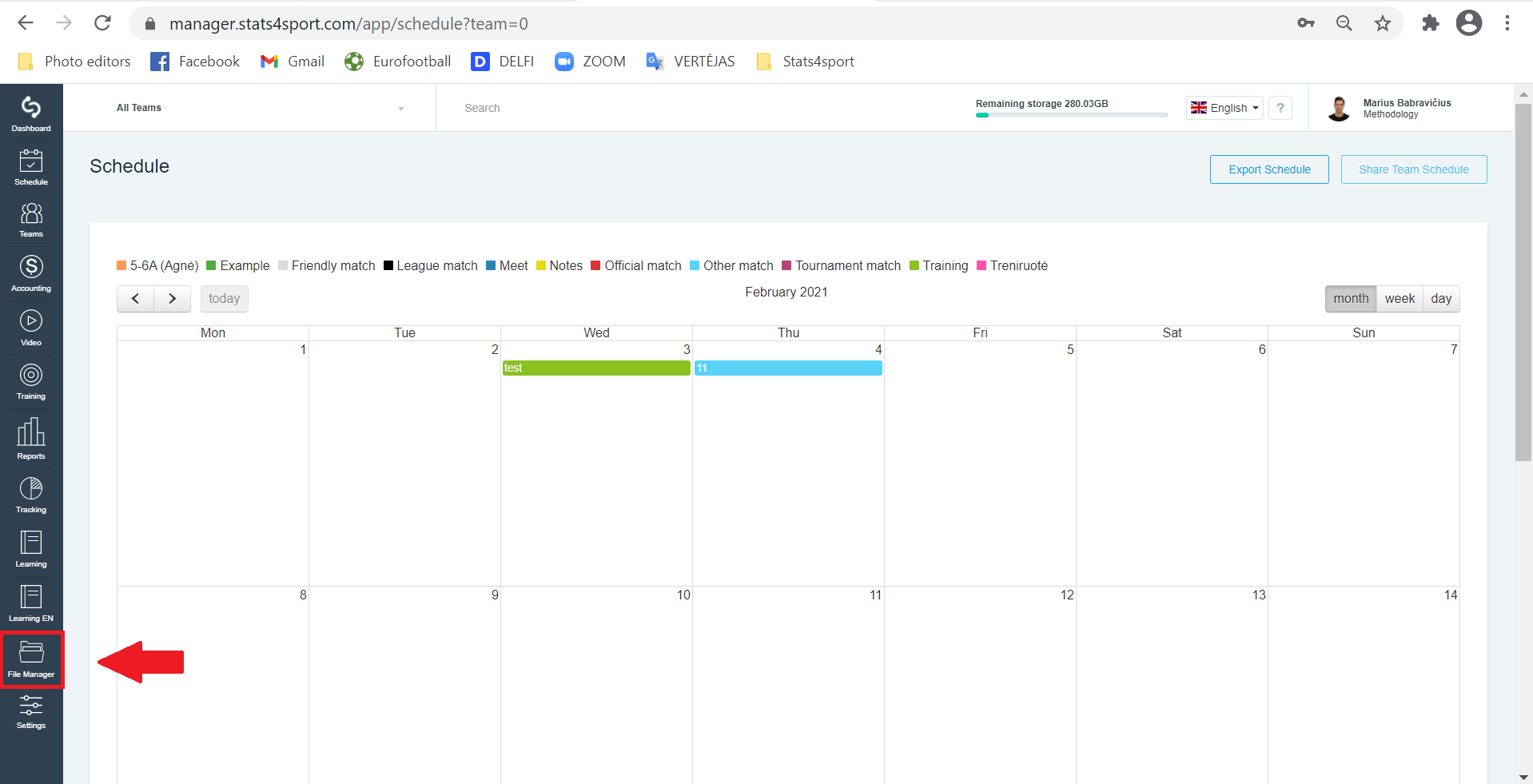
In the menu bar on the left select "File manager".
-
2
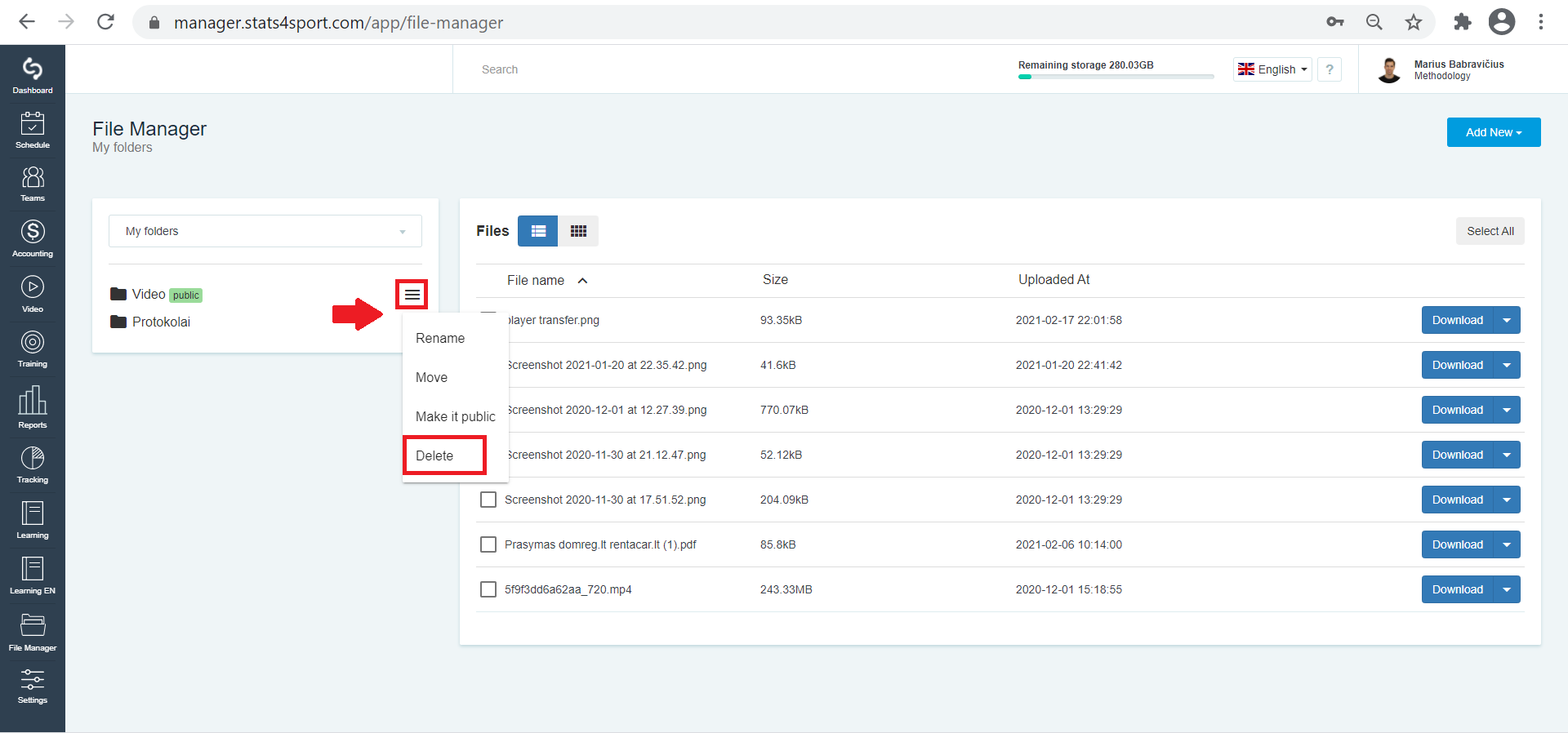
Select the folder you want to delete and click the 3 bars next to it. Select "Delete".
Still need help?
Tell our support team where you got stuck. Include the guide title so we can help you faster.
Contact support