
blue-emi-setup
-
1
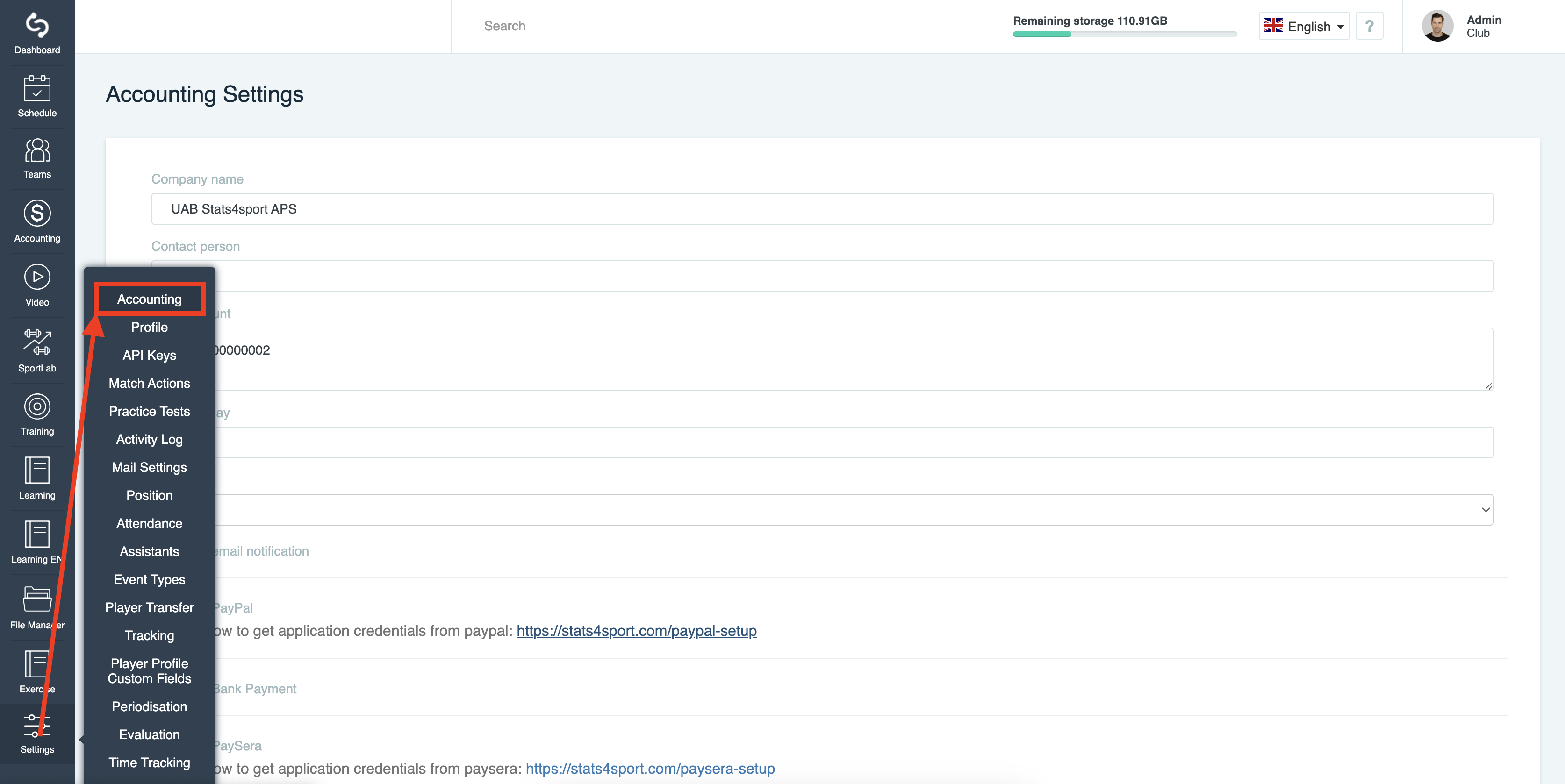
Log in to stats4sport manager then choose "Settings" from the Menu bar on the left and press on "Accounting" option. Find Blue-emi setup link
-
2
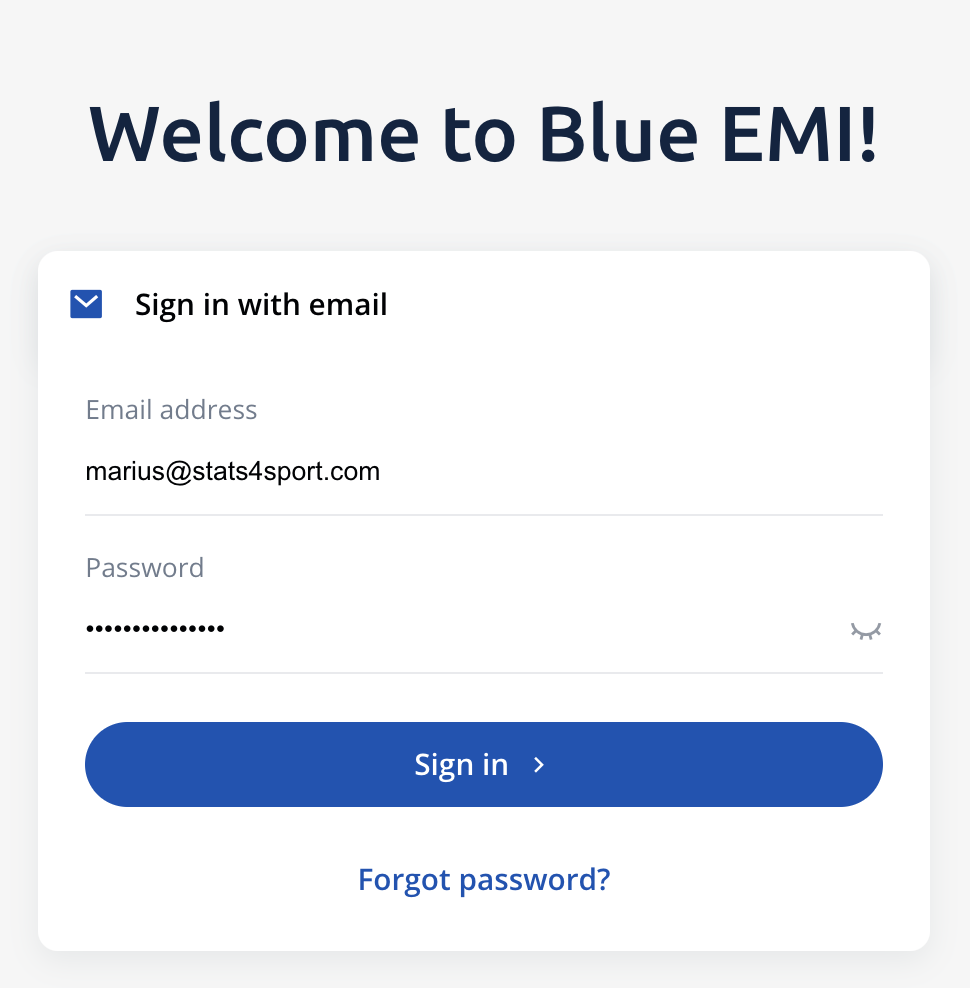
Log in to your Blue-emi account
-
3
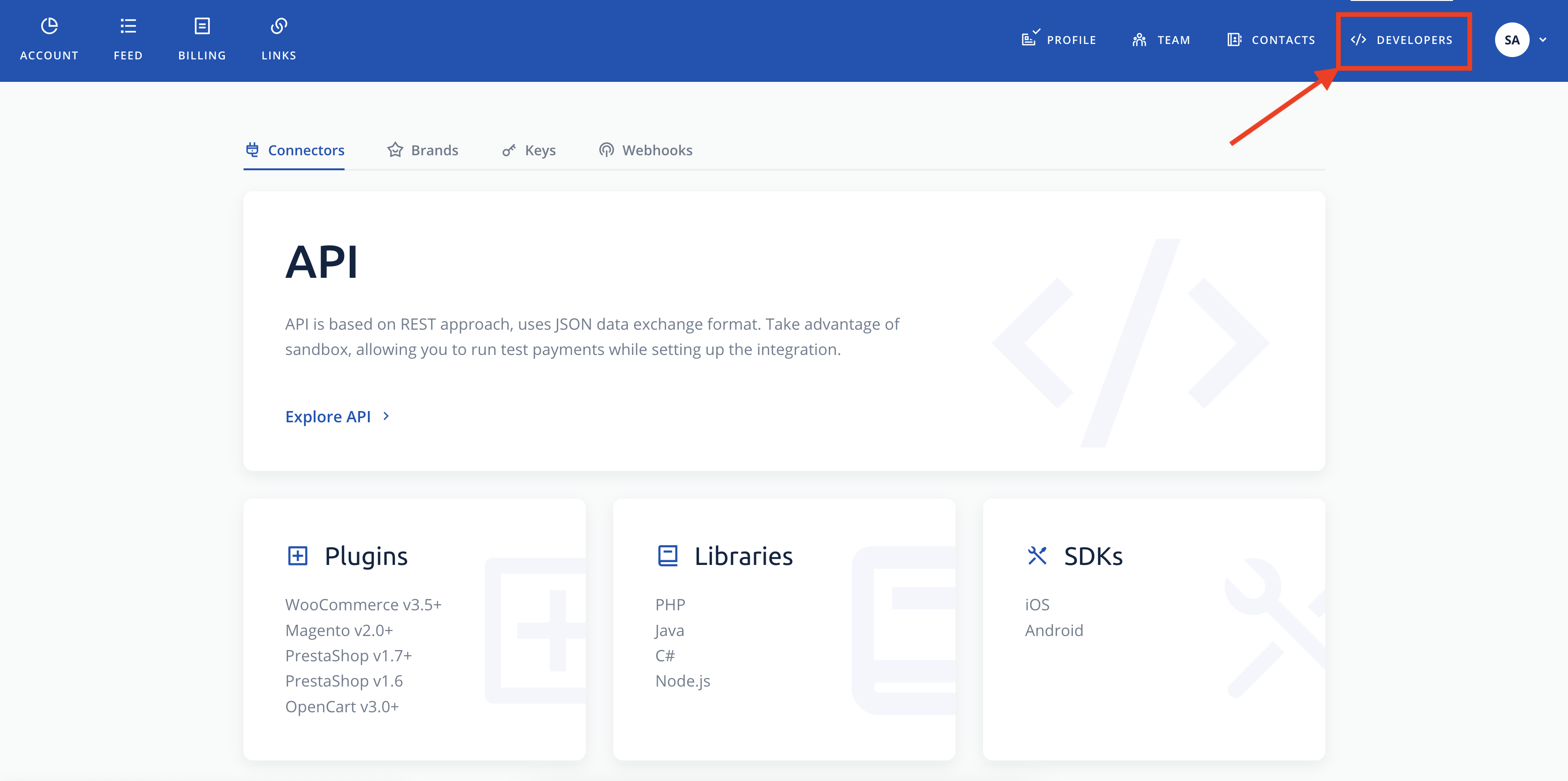
Press on "developers" tab
-
4
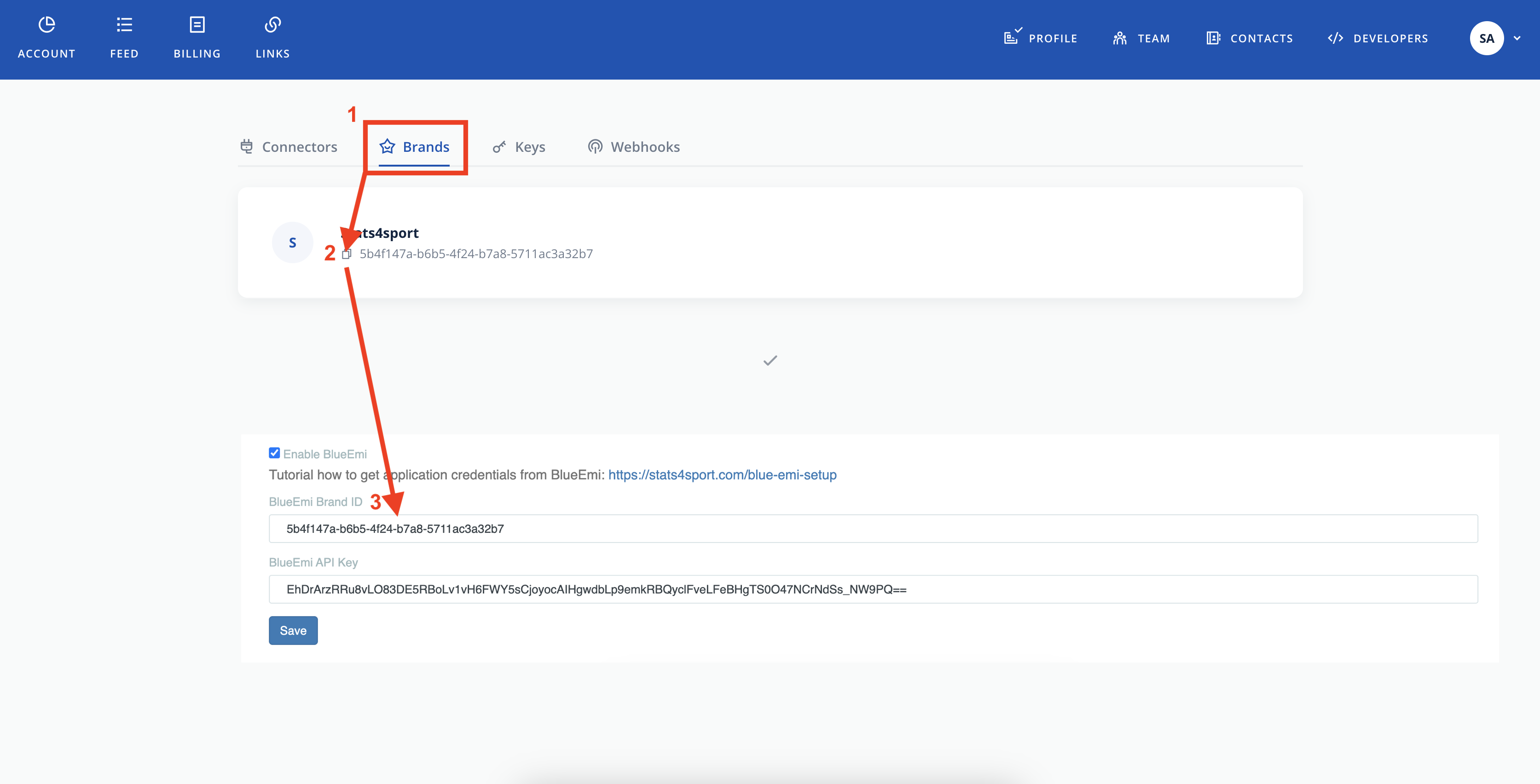
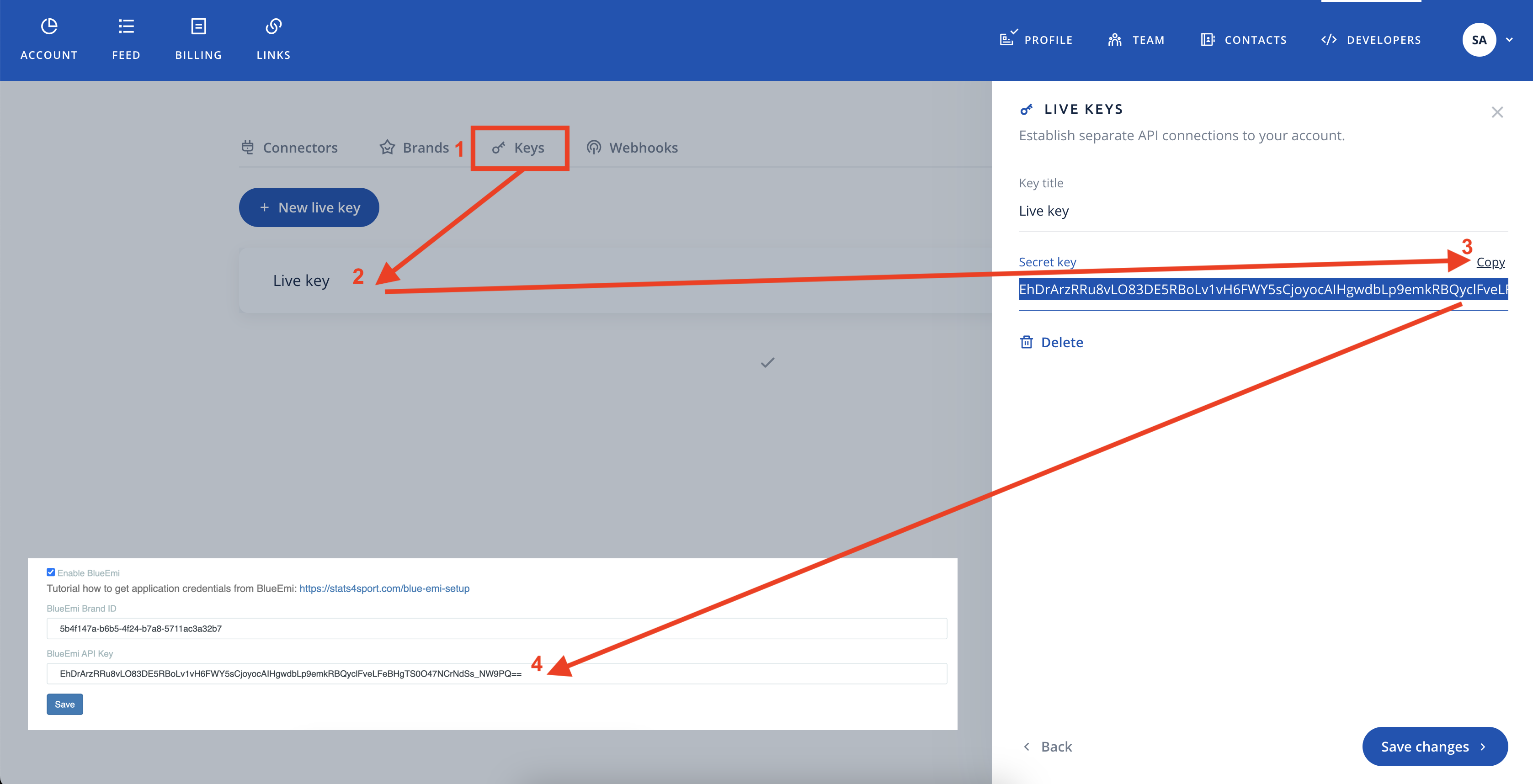
Find "Brand" Tab and copy the code in to stats4sport manager "Brand" field
-
5
Find and press "Keys" Tab. Press on "live key" button and copy the key in to stats4sport manager " API key" field
-
6
Save changes on both platforms. Now you ready to use payments feature!
Still need help?
Tell our support team where you got stuck. Include the guide title so we can help you faster.
Contact support