
Create session plan
-
1
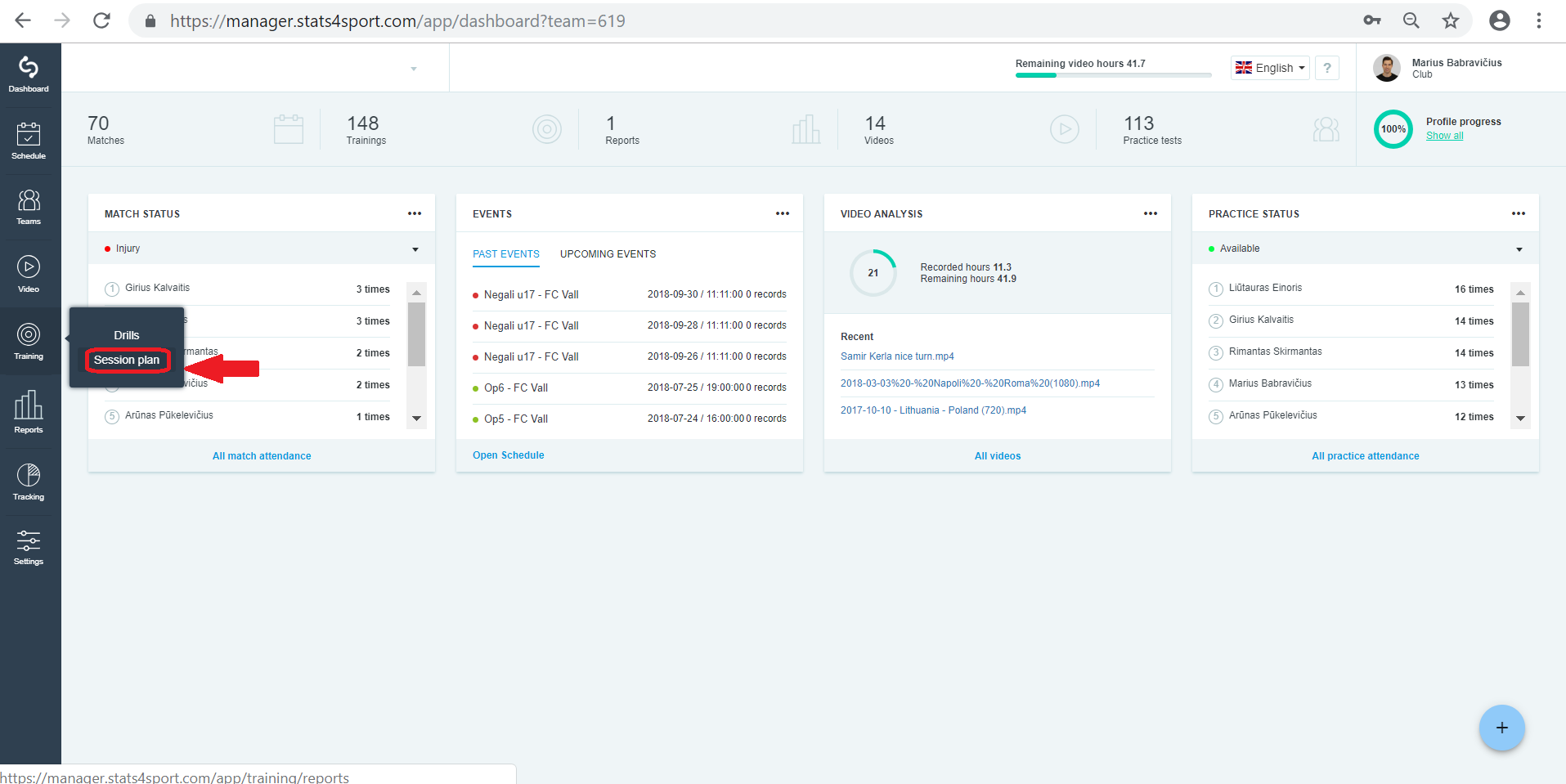
Go to "Training" menu on the left. Choose "Session plan".
-
2
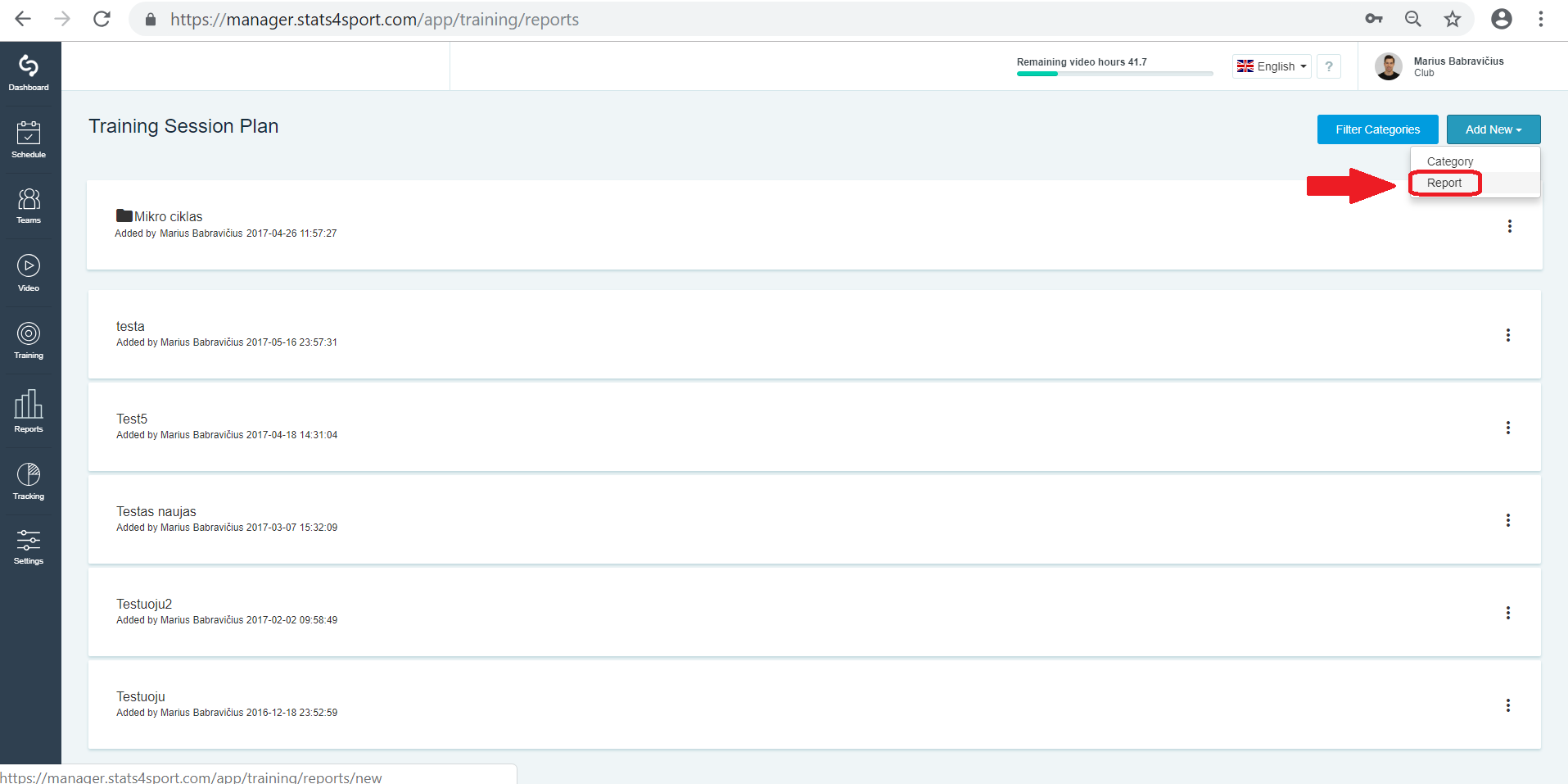
To creat session plan press "Add new" -> "Report".
-
3
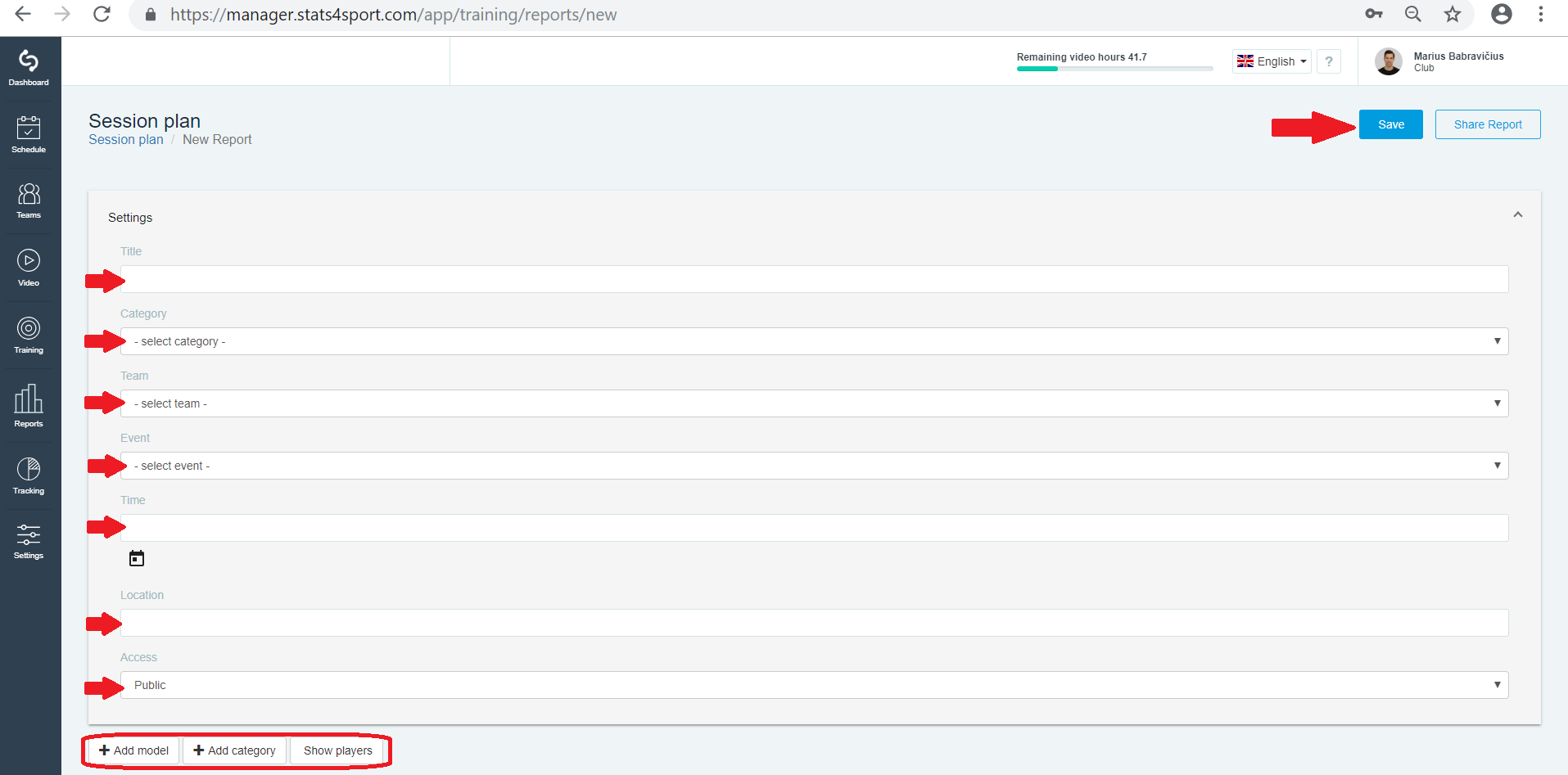
Enter all the information is required, add models you need and click "Save".
-
4
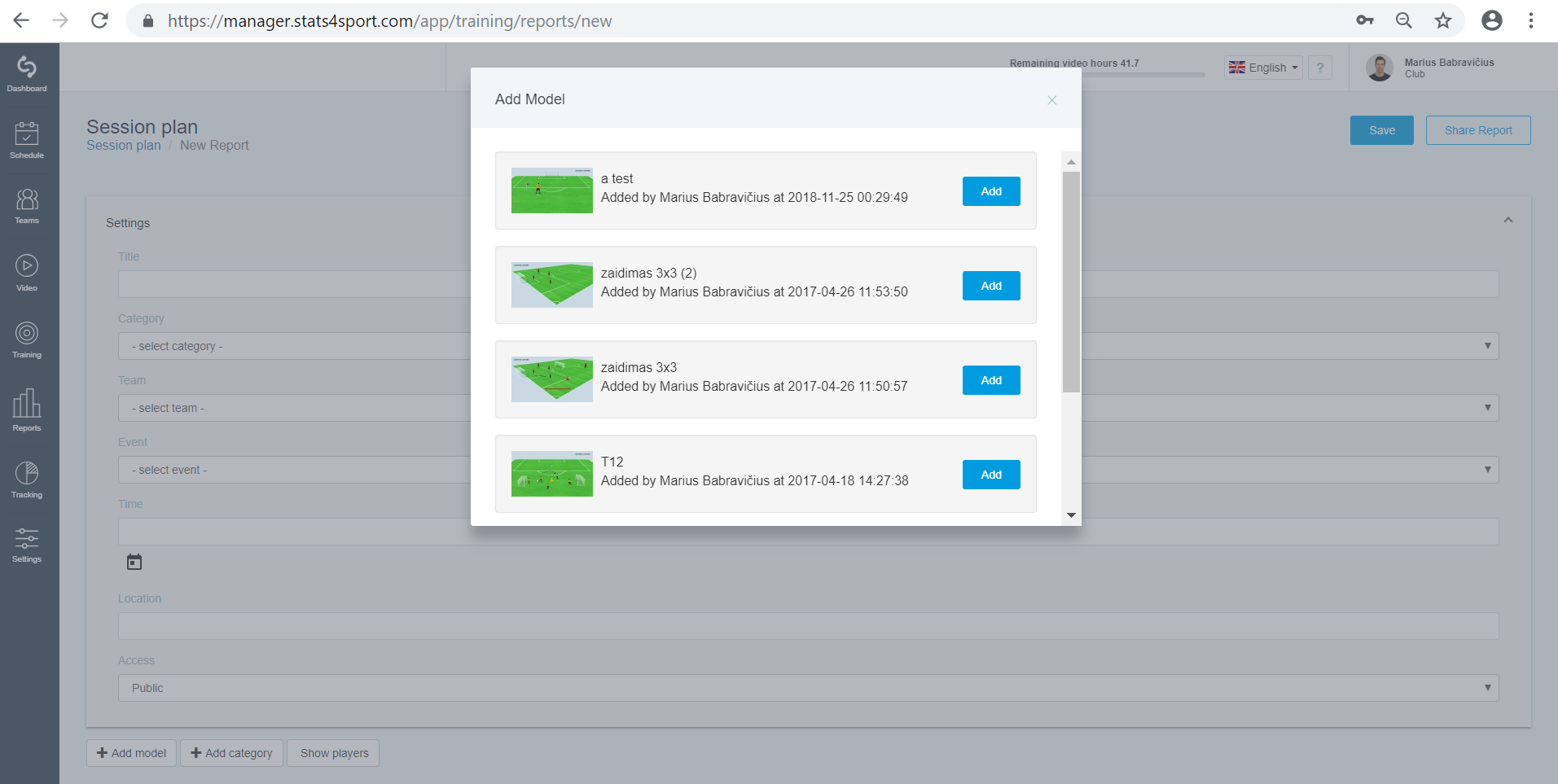
Select model from the list.
-
5
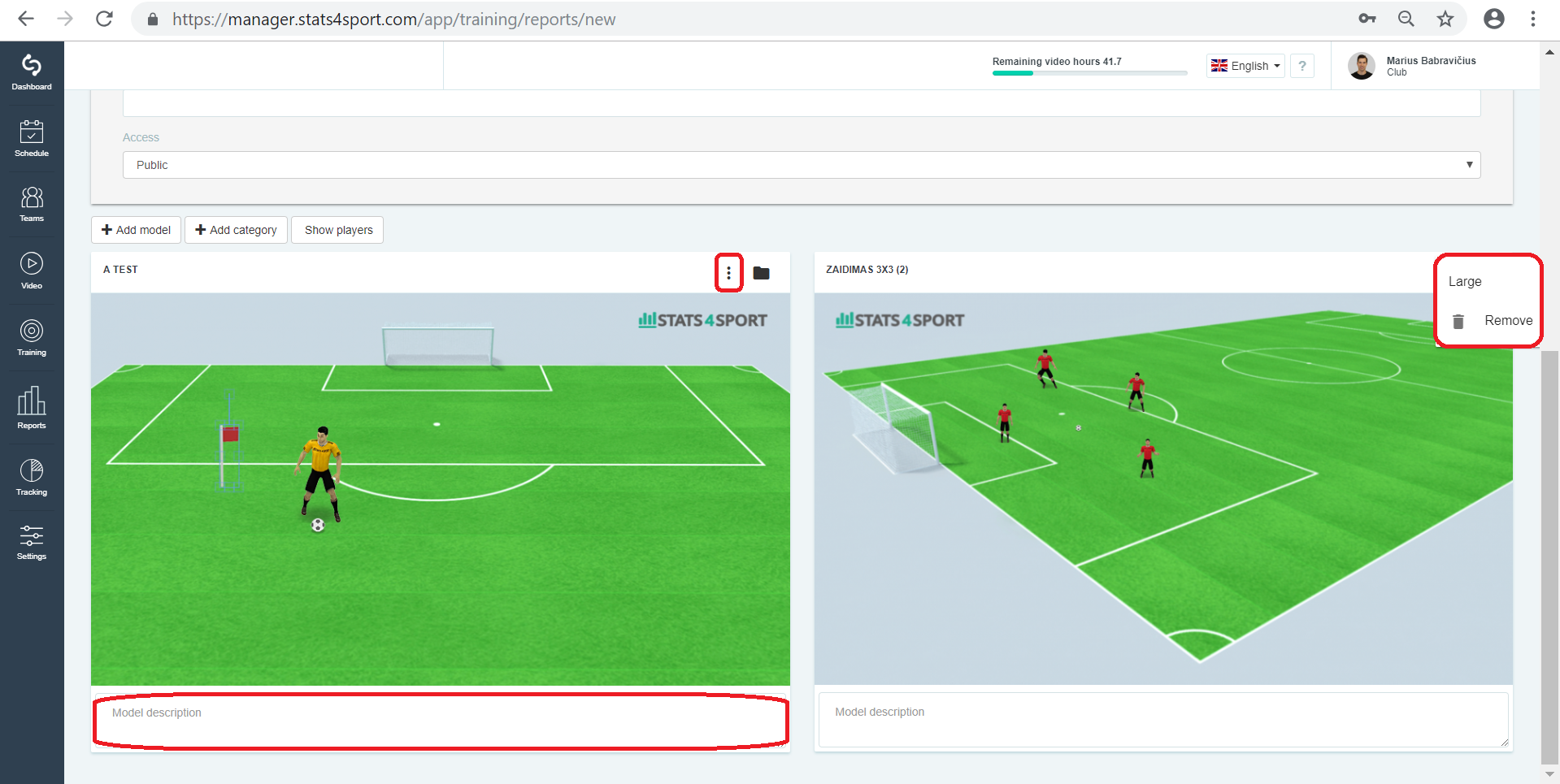
Edit your model in session plan. Press 3 point on model and choose "Large" to make model larger. Choose "Remove" to remove model. Add model description if you need.
Still need help?
Tell our support team where you got stuck. Include the guide title so we can help you faster.
Contact support