
Two-Factor Authentication on manager (Website)
-
1
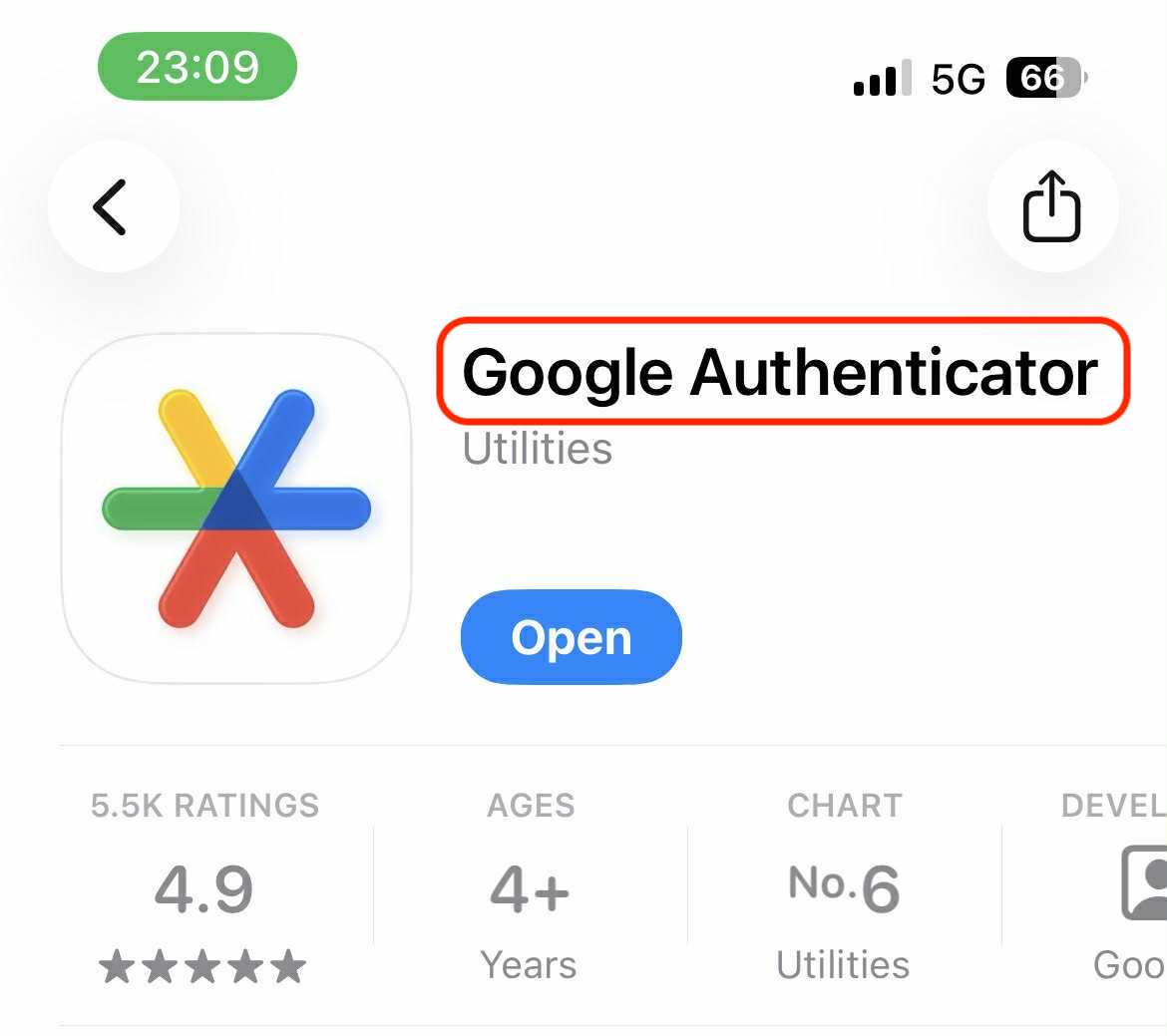
Download 'Google Authenticator' app from App Store (iOS) or Google Play (Android) on your mobile device.
-
2
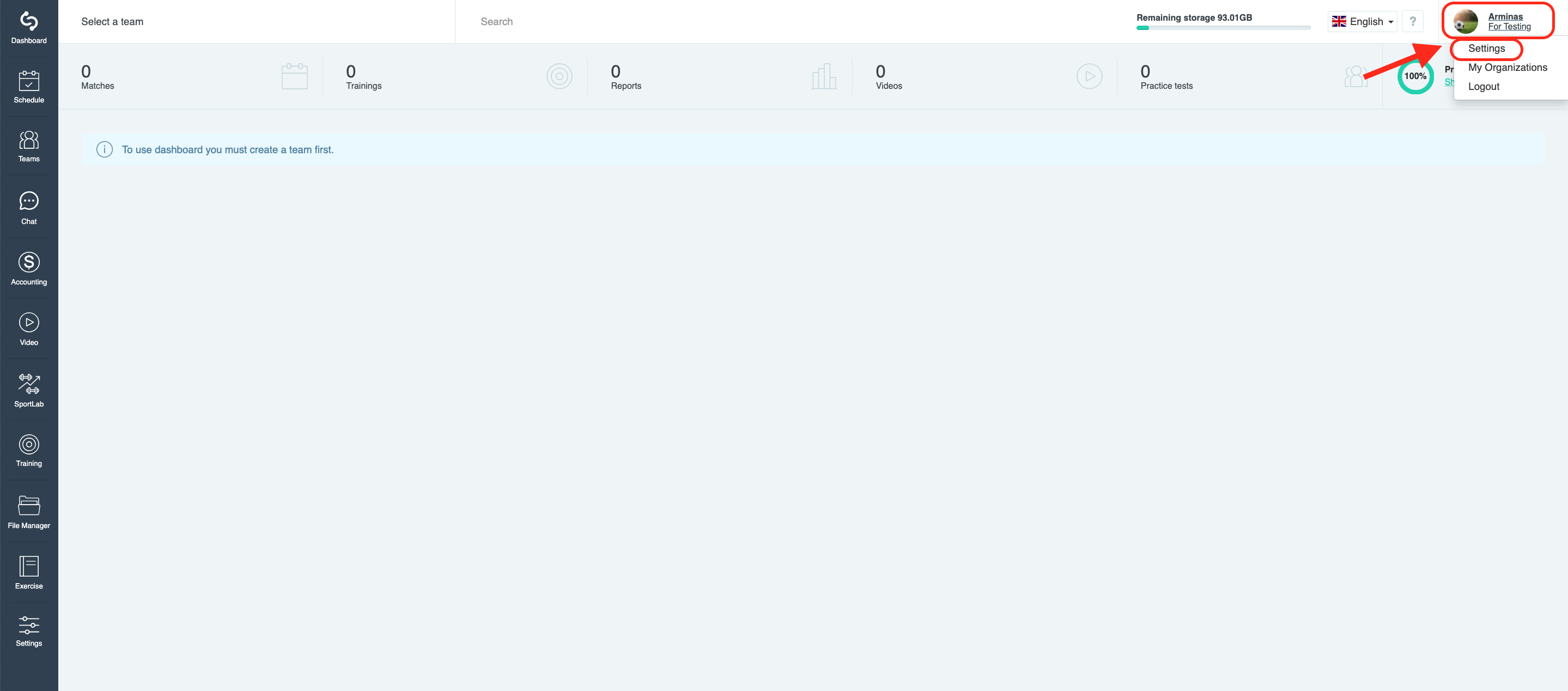
To enable Two-Factor Authentication press the profile menu on the right upper corner and choose 'Settings'.
-
3
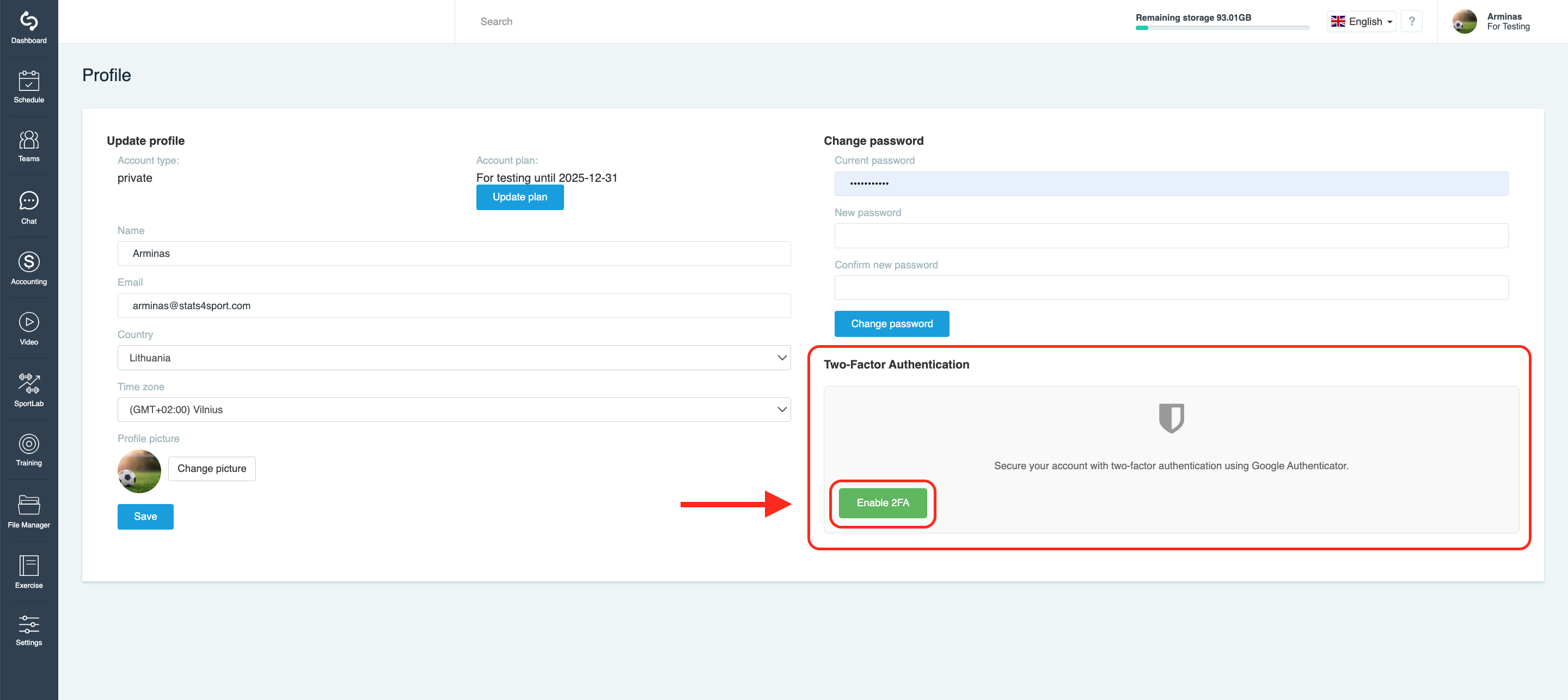
Click on 'Enable 2FA'.
-
4
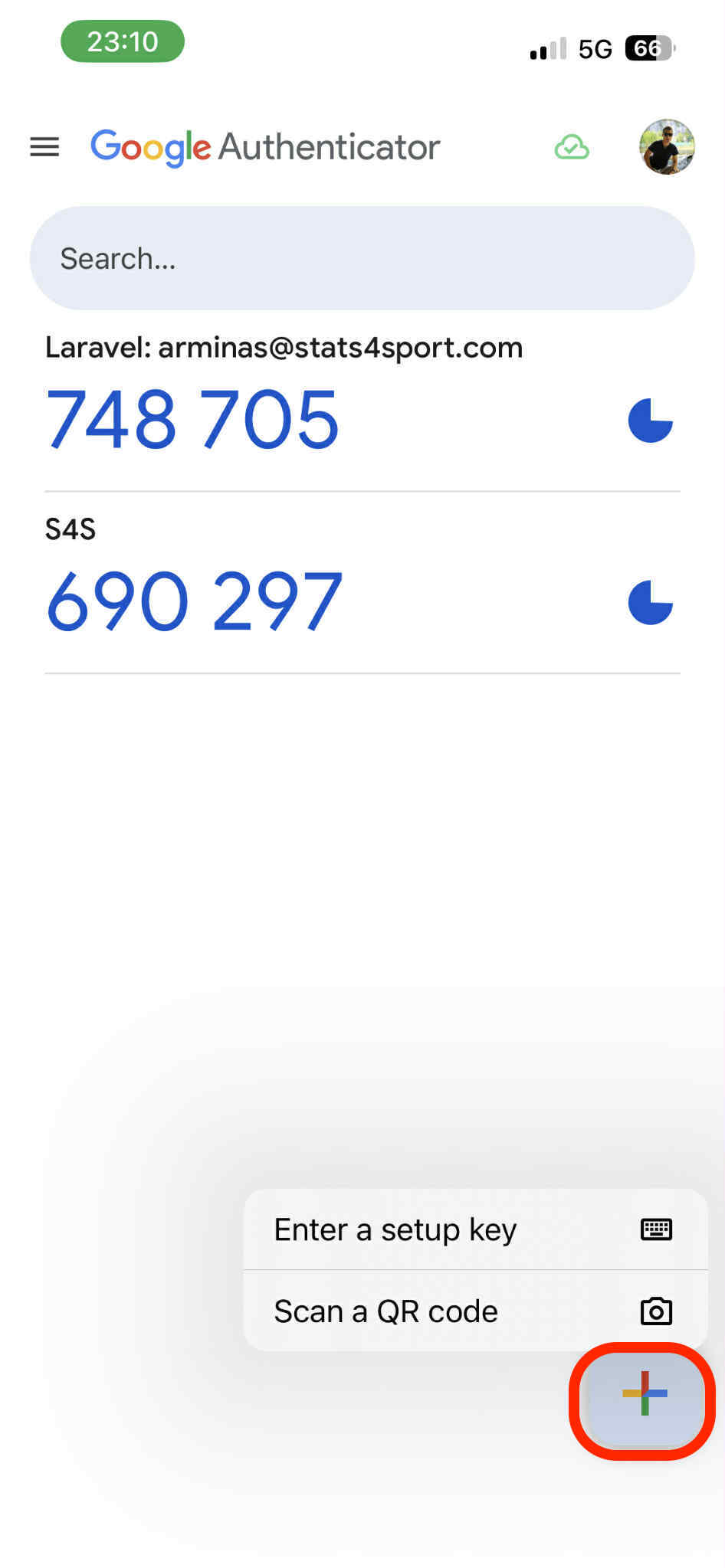
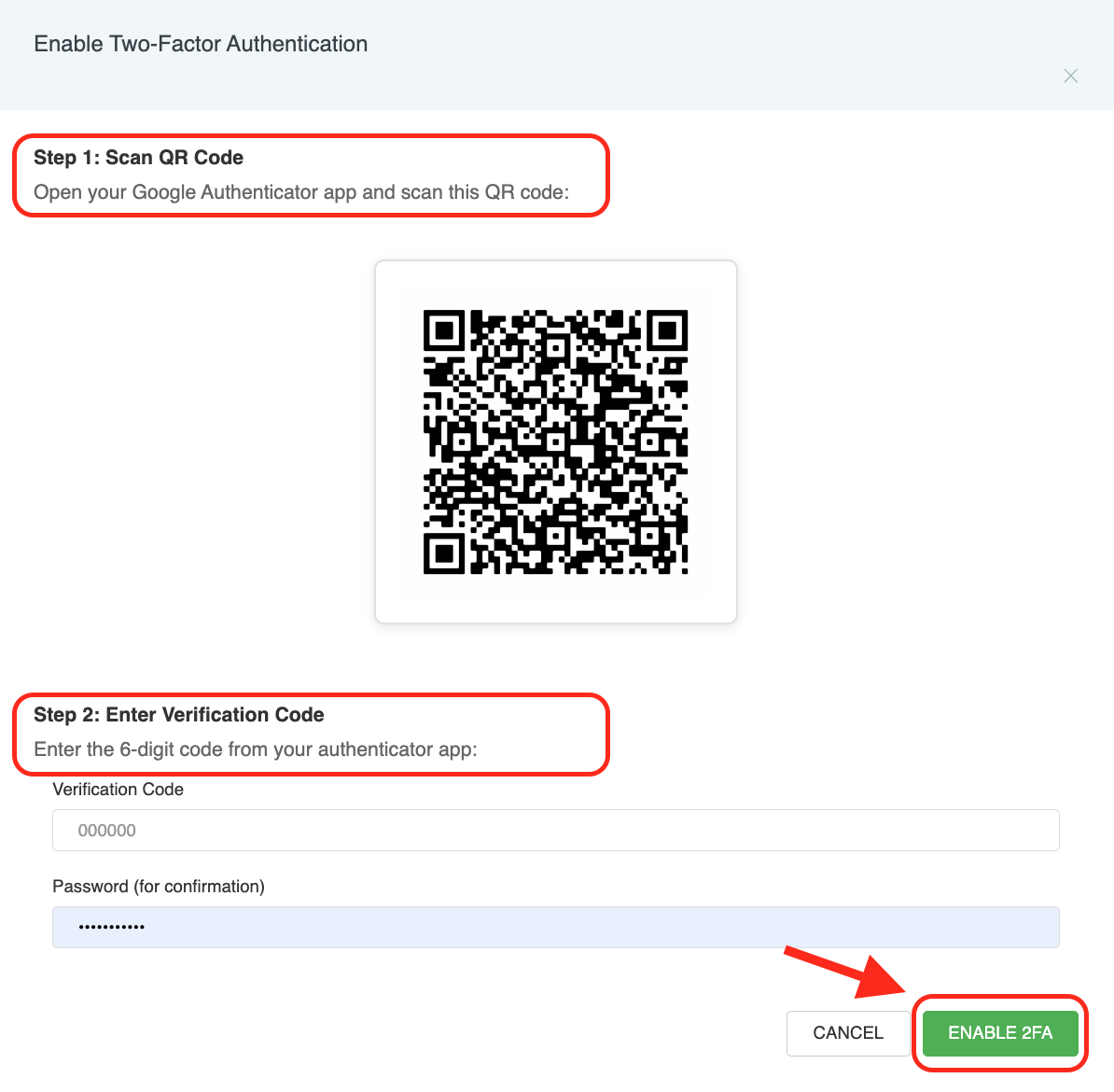
Step 1: open 'Google Authenticator' app on your device, click + on right down corner. Choose 'Scan a QR code'. Step 2: copy the code and paste it on website.
-
5
After following the steps 1 and 2, enter your account password and press 'ENABLE 2FA'.
Still need help?
Tell our support team where you got stuck. Include the guide title so we can help you faster.
Contact support