
How to add note on video
-
1
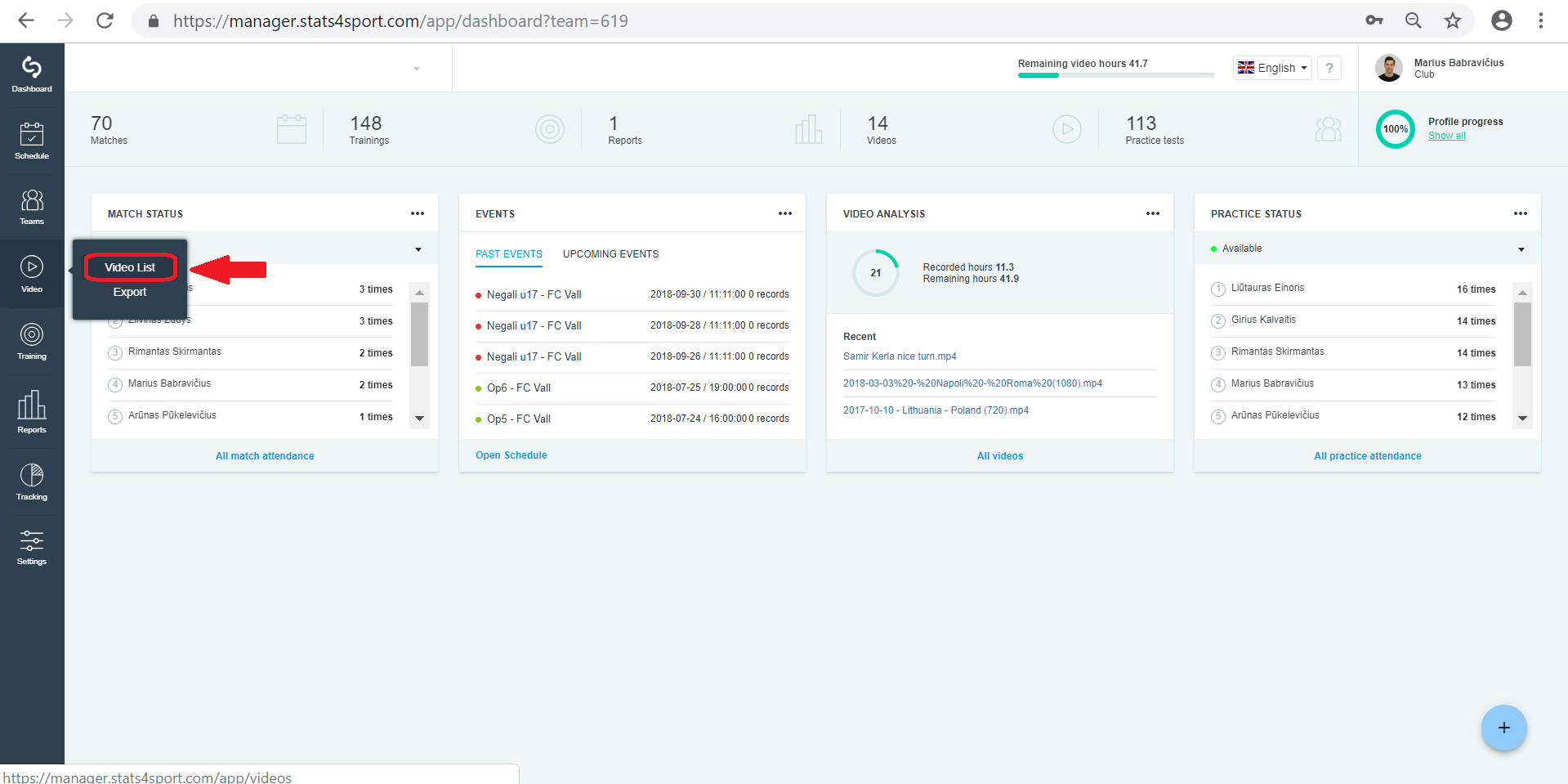
Go to "Video" menu on the left. Choose "Video List".
-
2
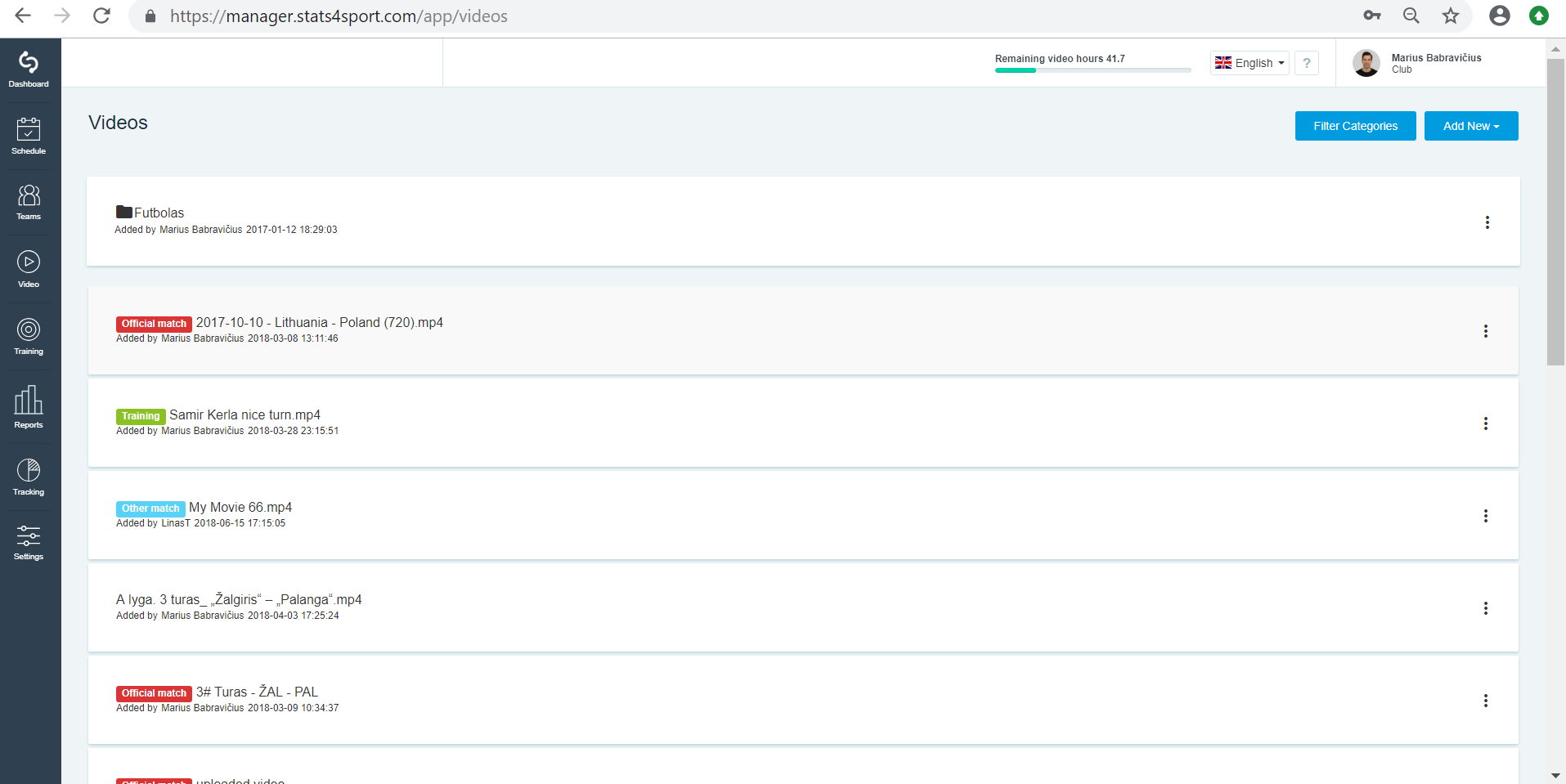
Choose video from your list you want to analyse and press on it.
-
3
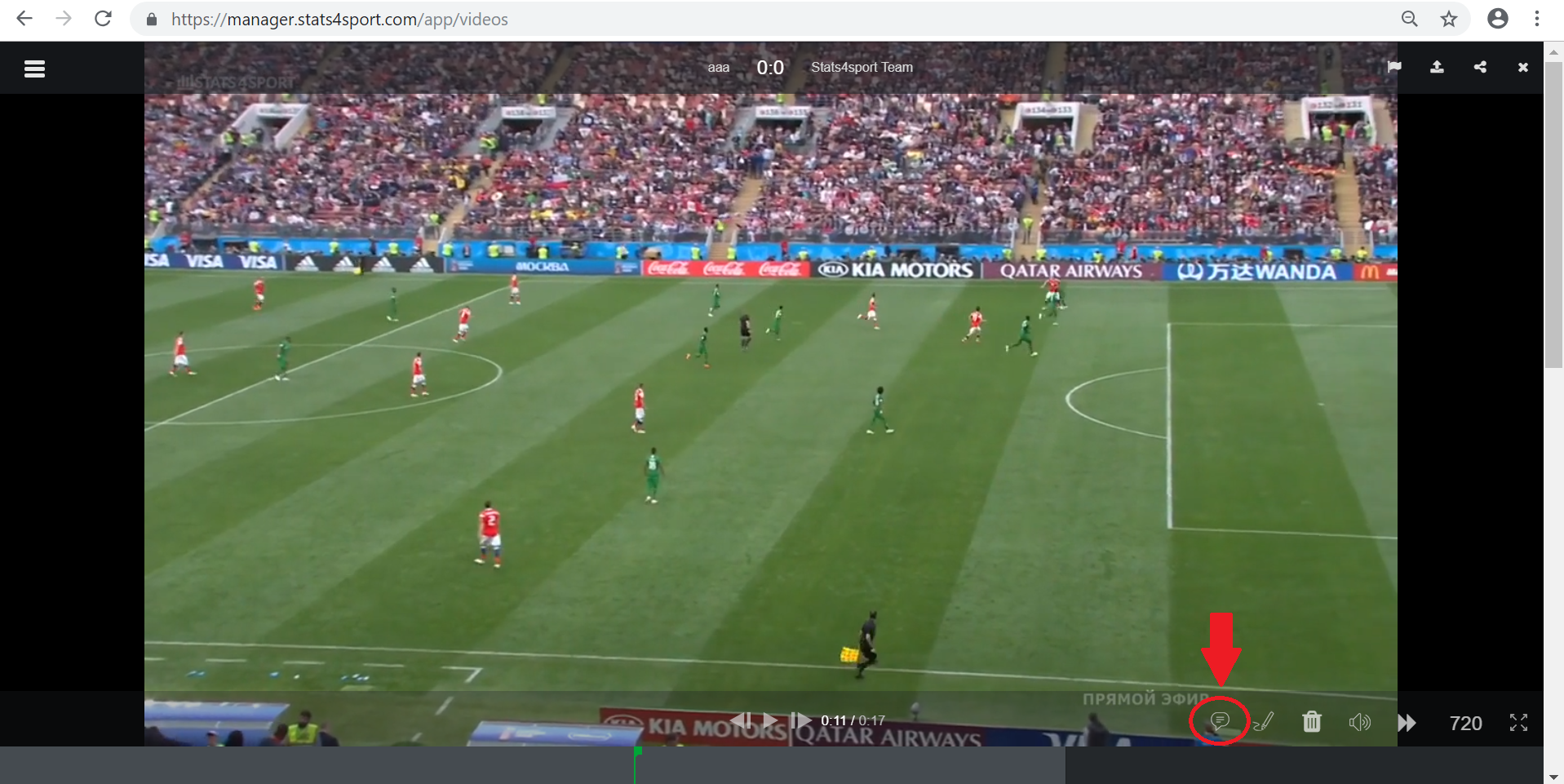
When video is playing, move your mouse and you will see some video options to do on the right down corner. Choose note icon.
-
4
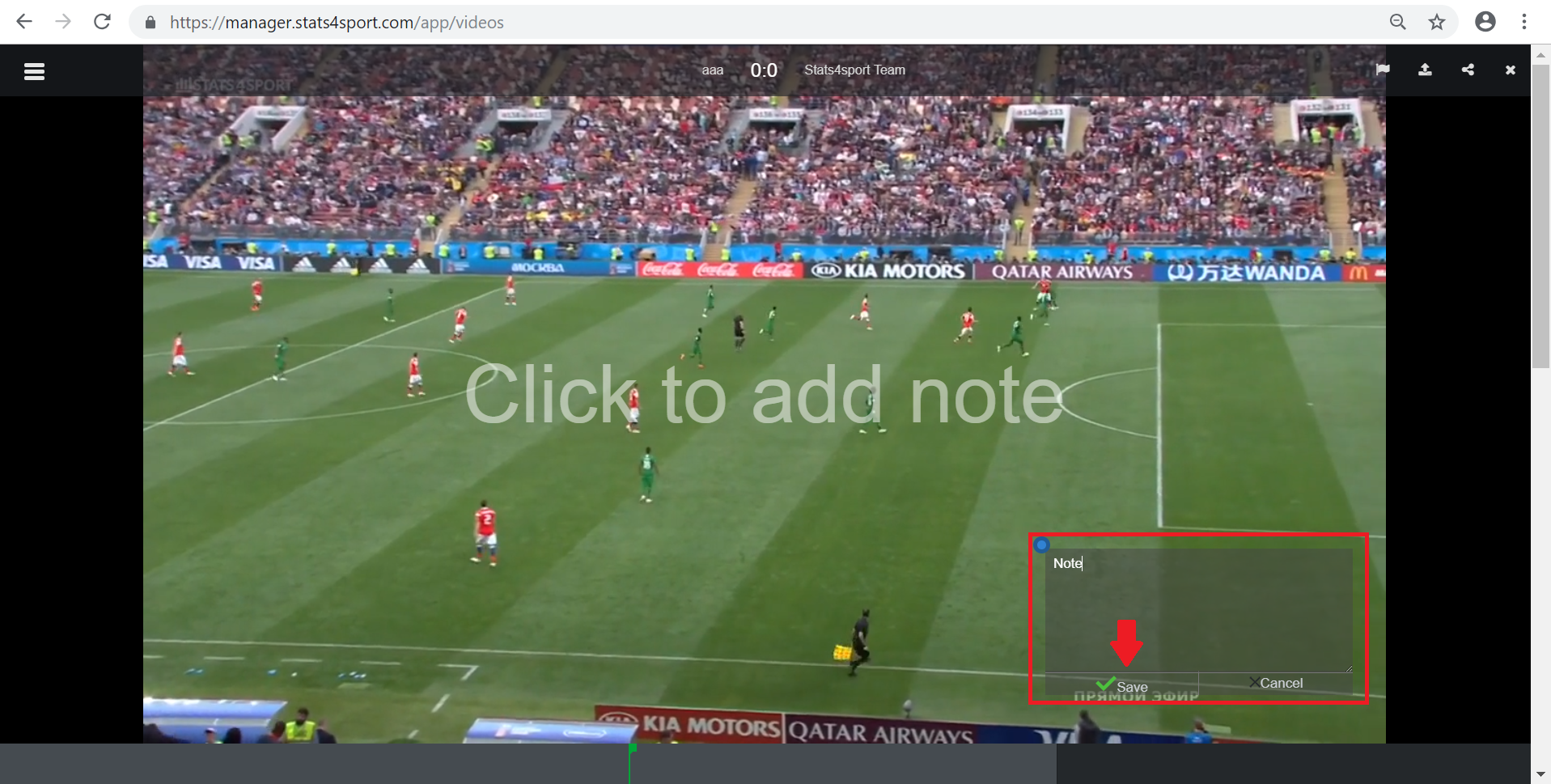
Choose the place on video you want to add note and press on it. Write note and press "Save".
Still need help?
Tell our support team where you got stuck. Include the guide title so we can help you faster.
Contact support