
How to start tagging video
-
1
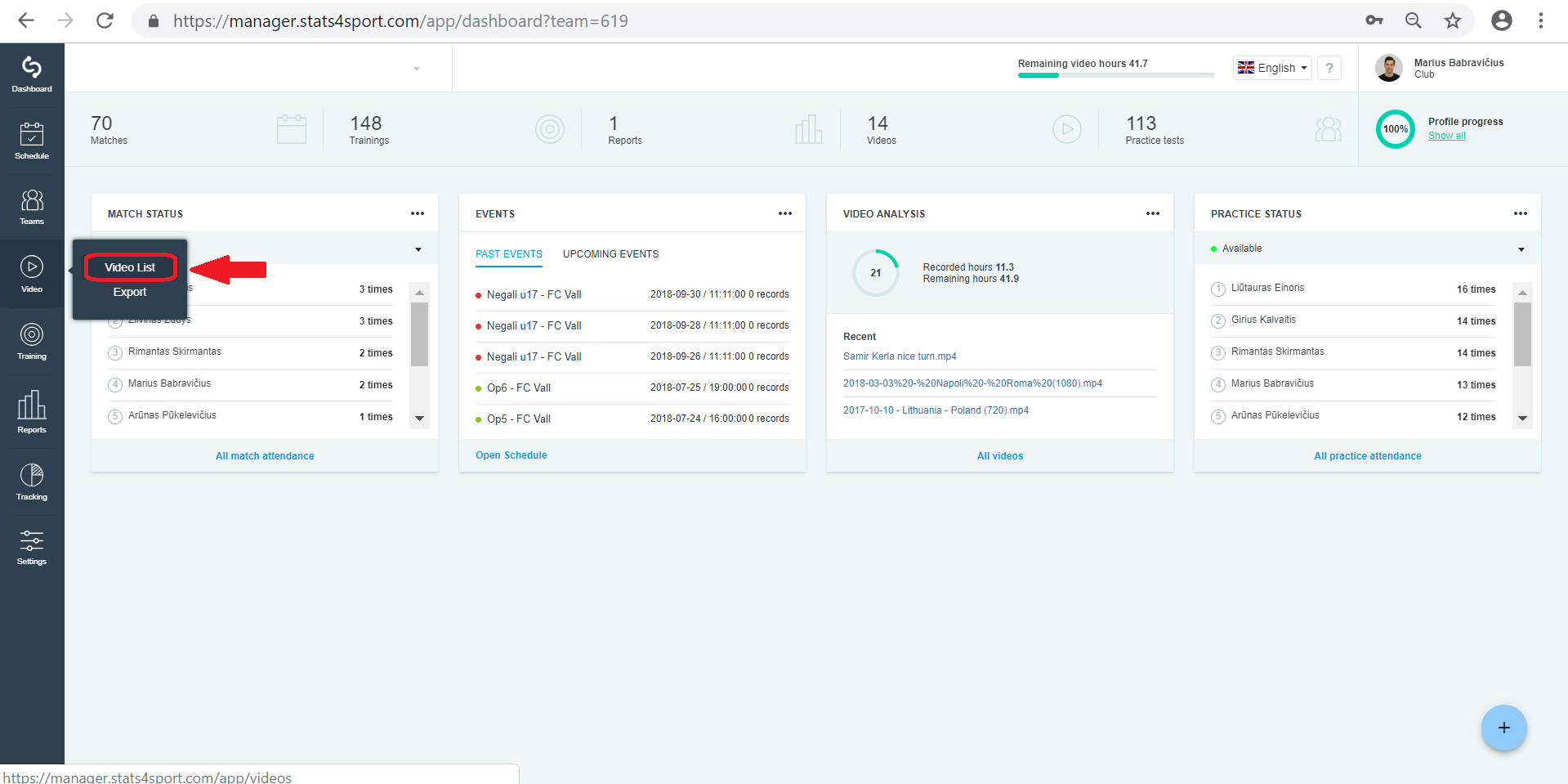
Go to 'Video" menu on the left. Choose "Video List".
-
2
Choose video from your list you want to start analyse and press on it.
-
3
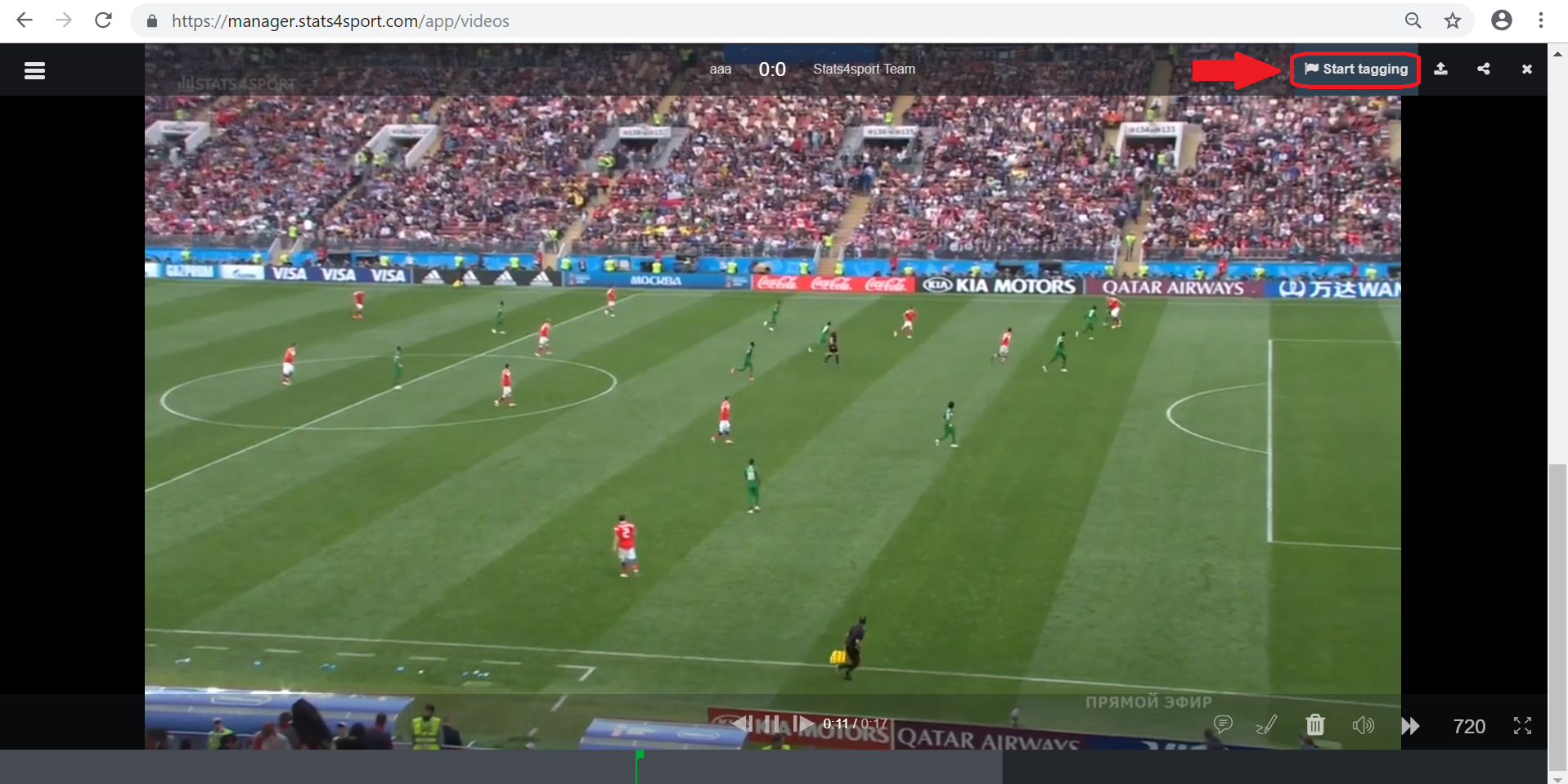
On the right up video corner find flag. Go on it and then you will see "Start tagging".
-
4
When video is playing, stop it by pressing stop button on press "Space" button on keyboard to stop the video.
-
5
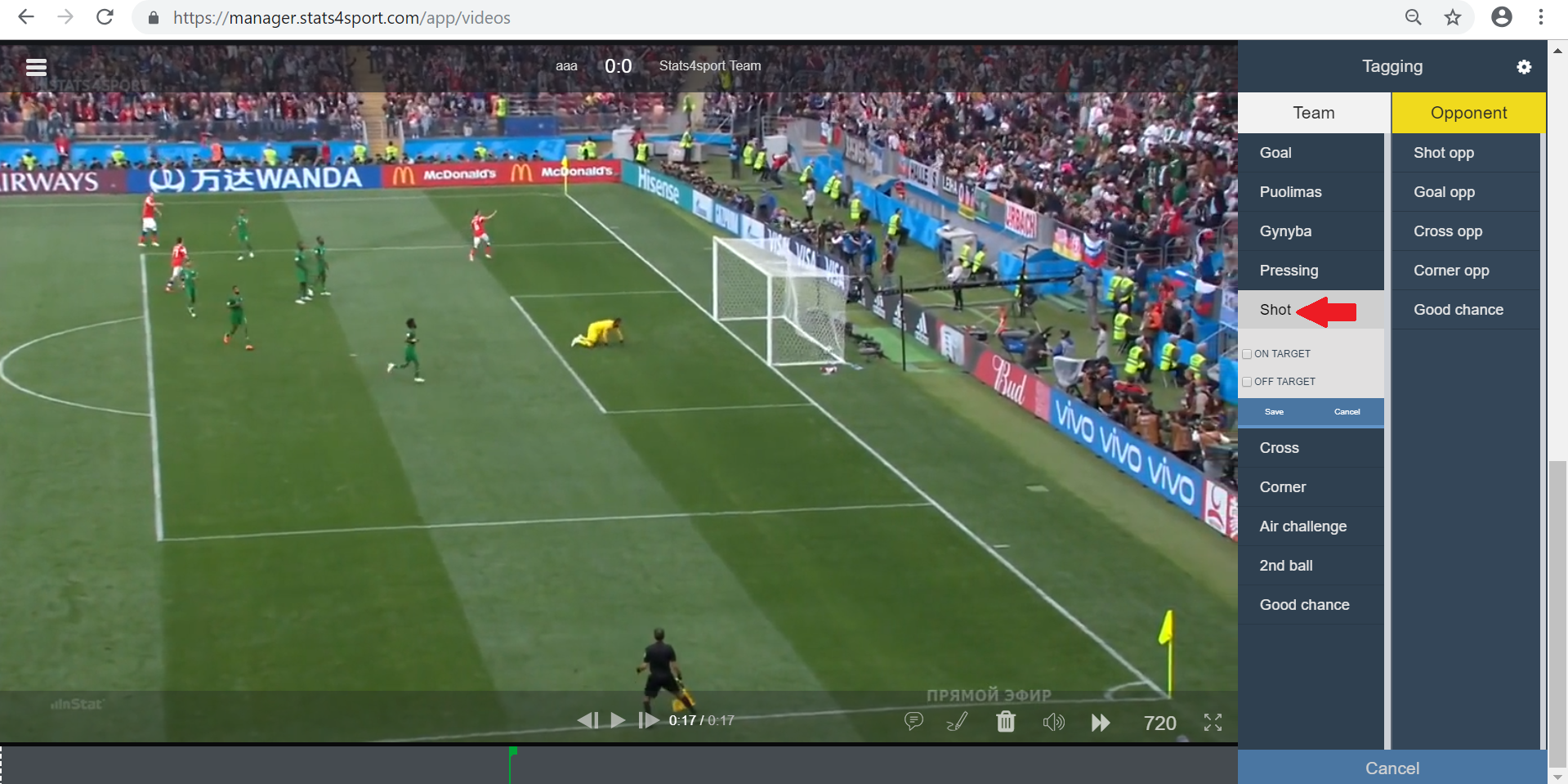
Or press on one of your tags. Video will be automatically paused.
-
6
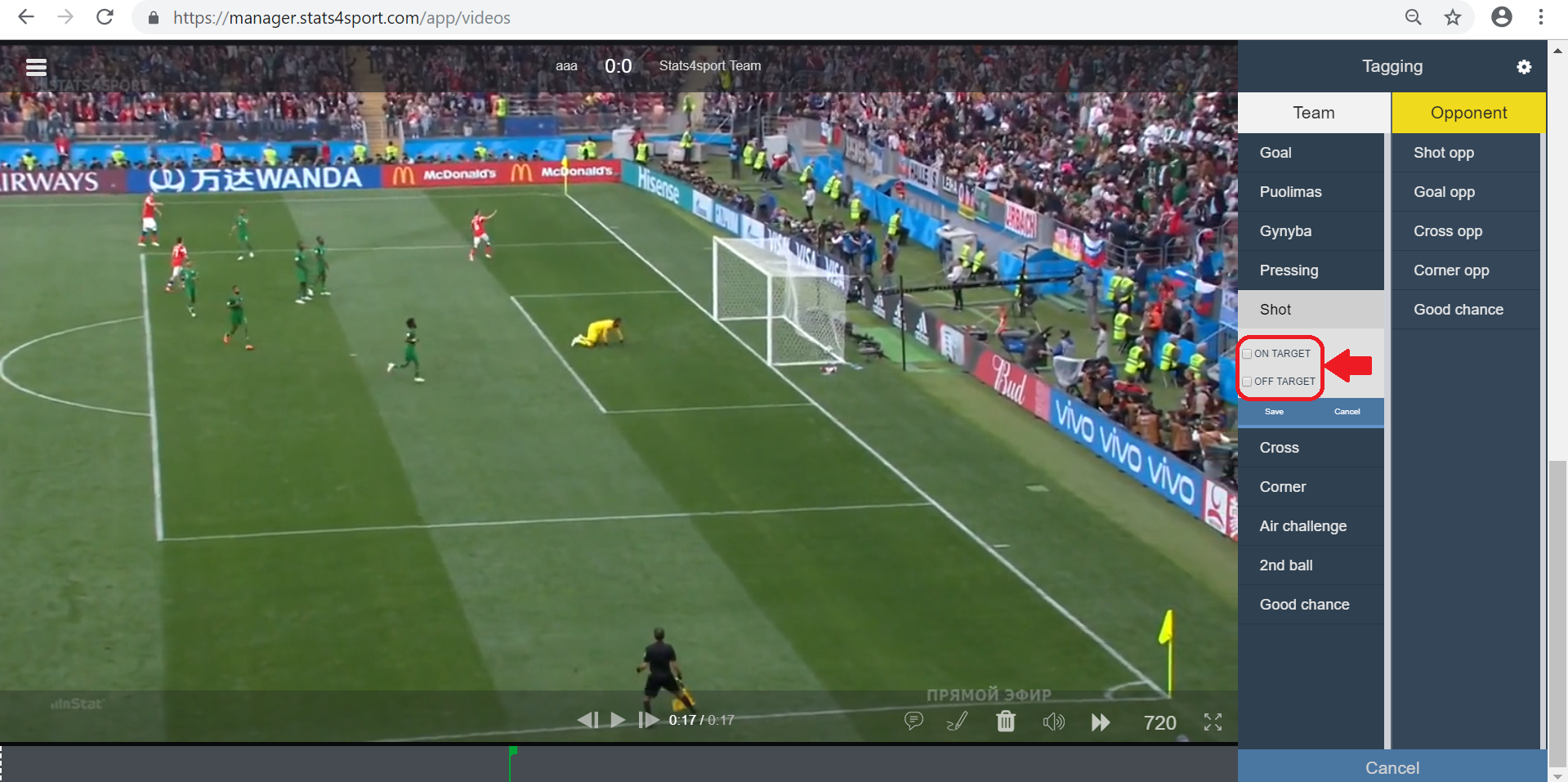
Then choose and mark action inside tag if you need and press Save.
-
7
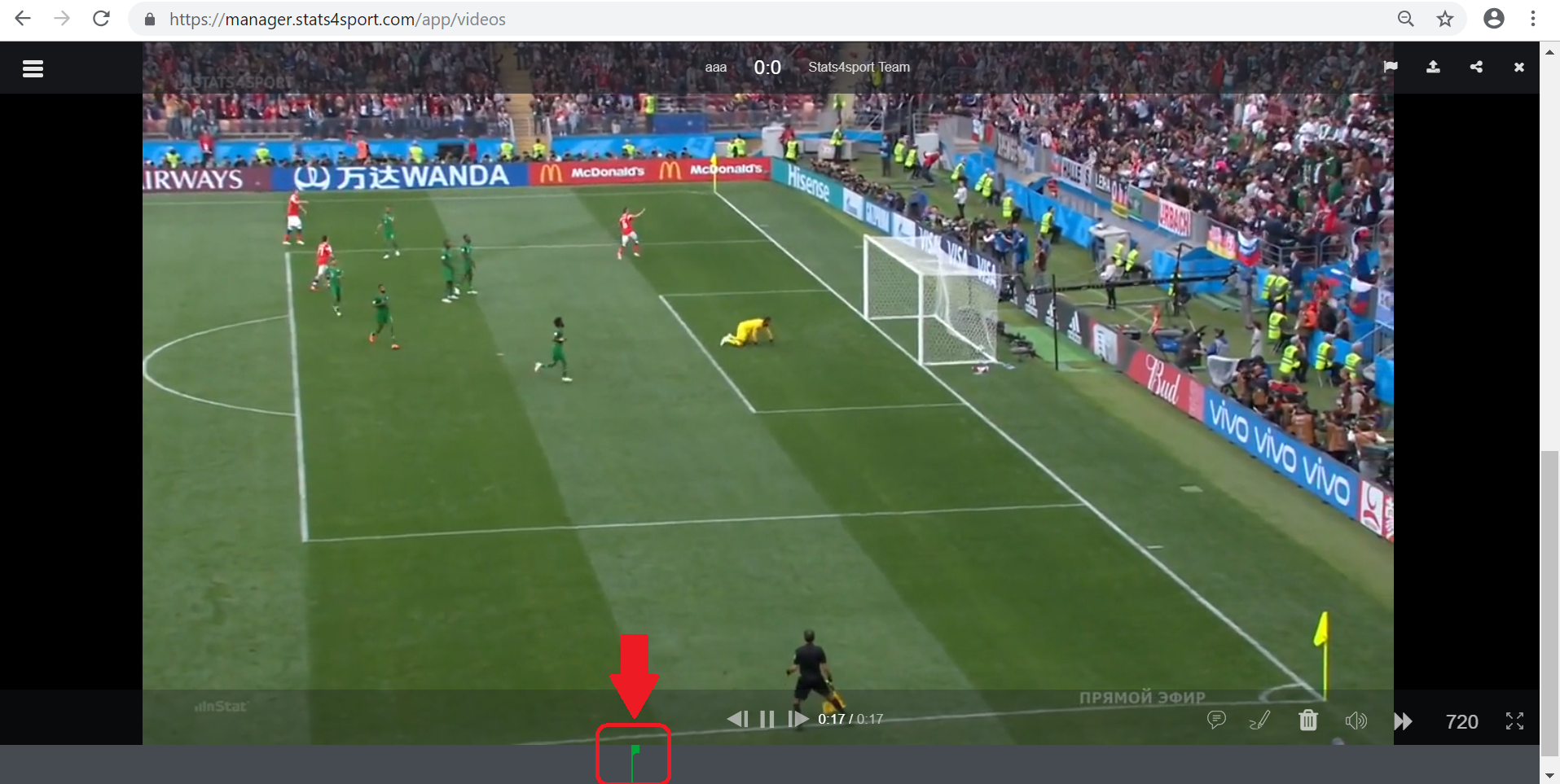
Added tag/action will appear on video line down the video.
Still need help?
Tell our support team where you got stuck. Include the guide title so we can help you faster.
Contact support