
Hide athlete
-
1
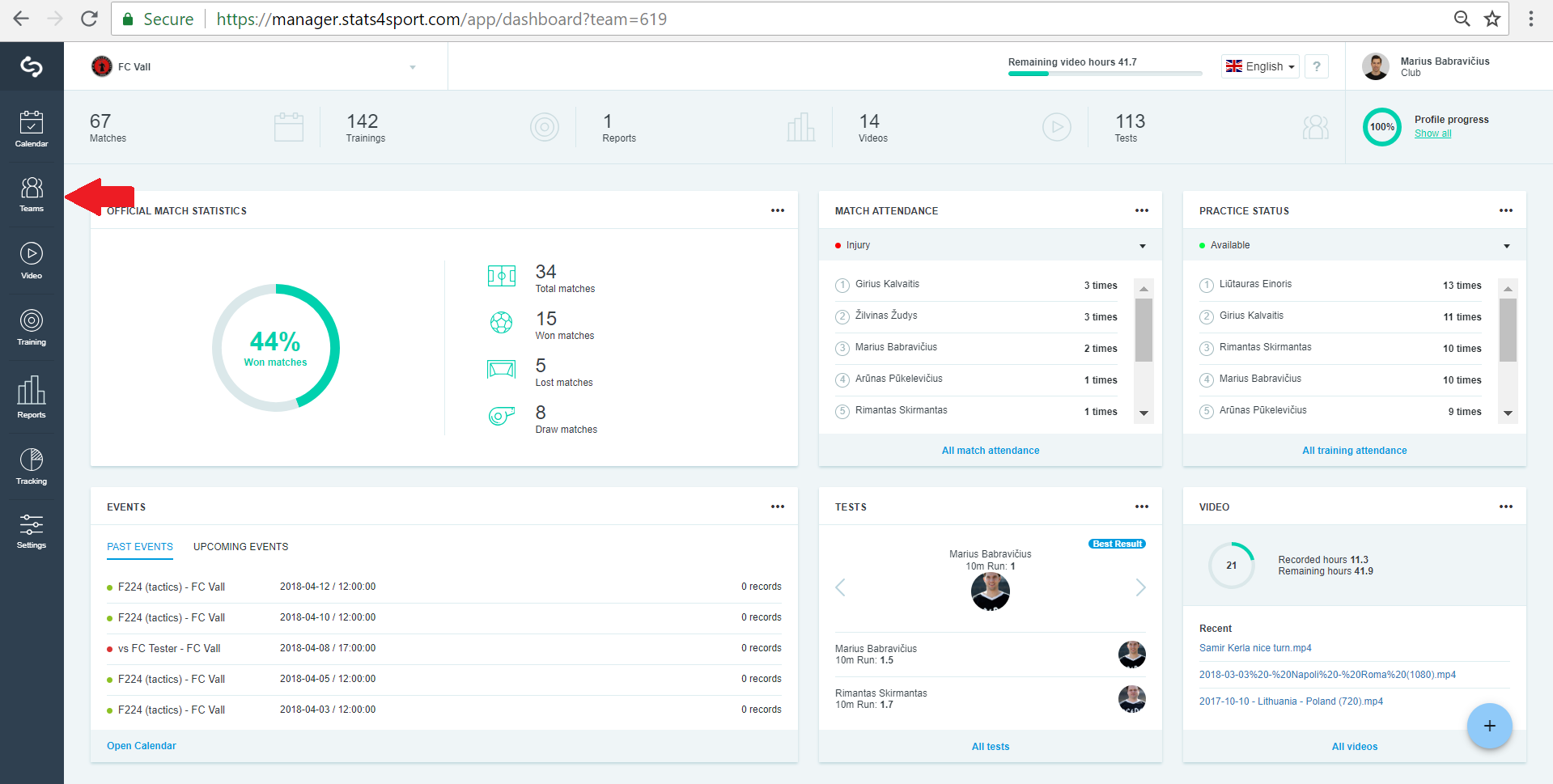
Go to "Teams" from Menu bar on the left.
-
2
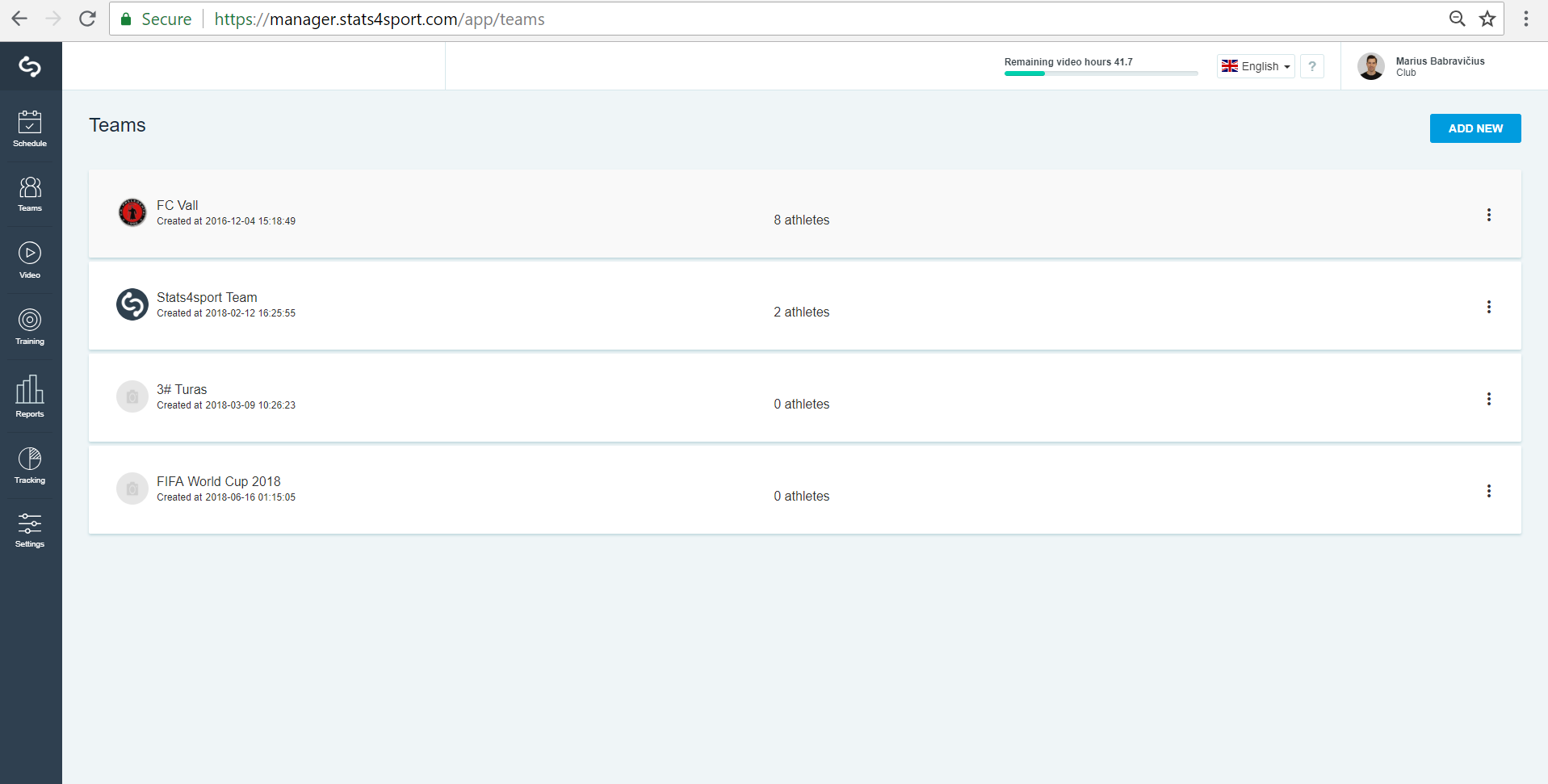
Choose the team from the list.
-
3
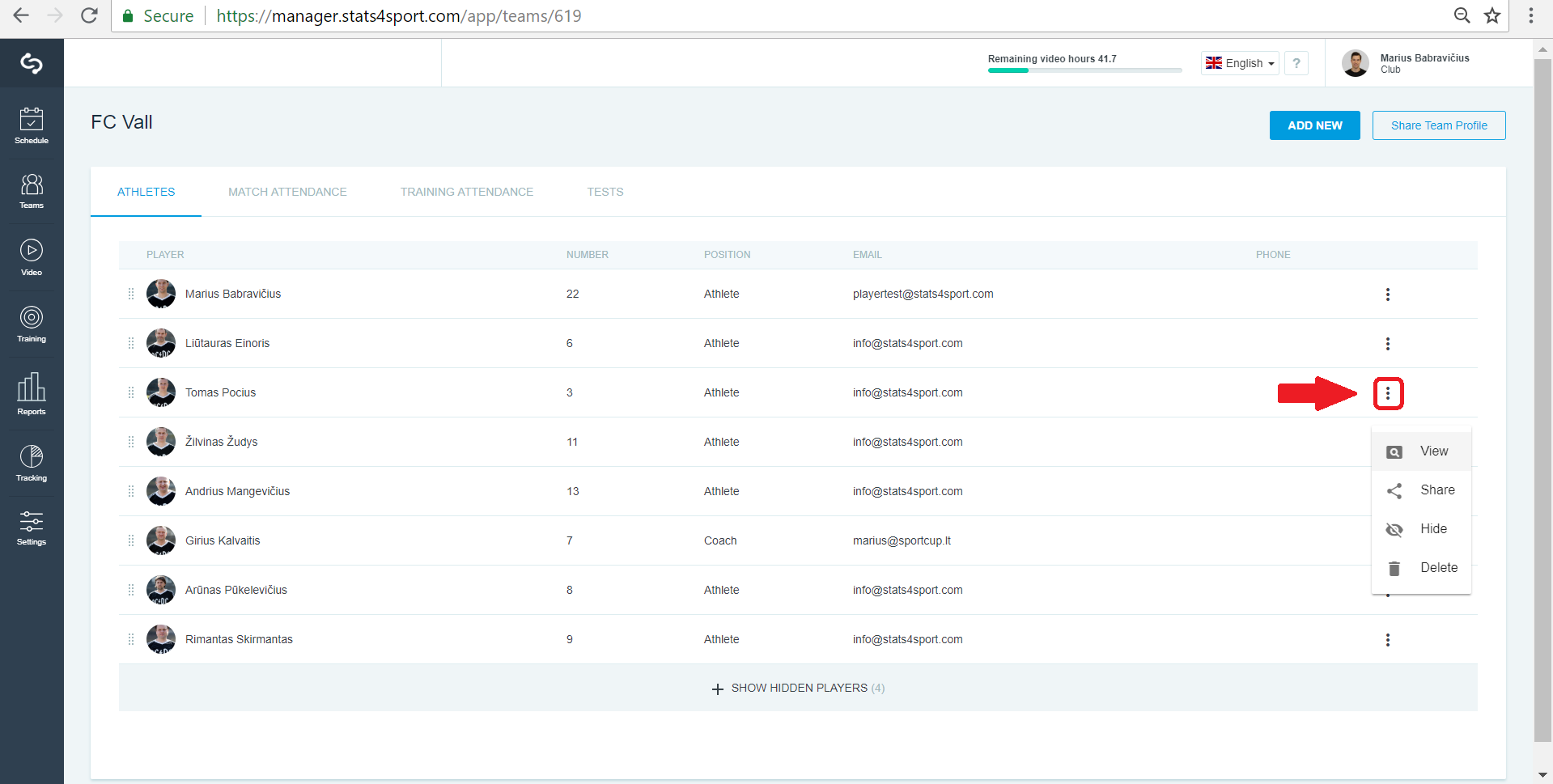
Choose the athlete you want to hide and press 3 points on the right.
Still need help?
Tell our support team where you got stuck. Include the guide title so we can help you faster.
Contact support