
Player transfer
-
1
In the menu bar on the left select "Teams".
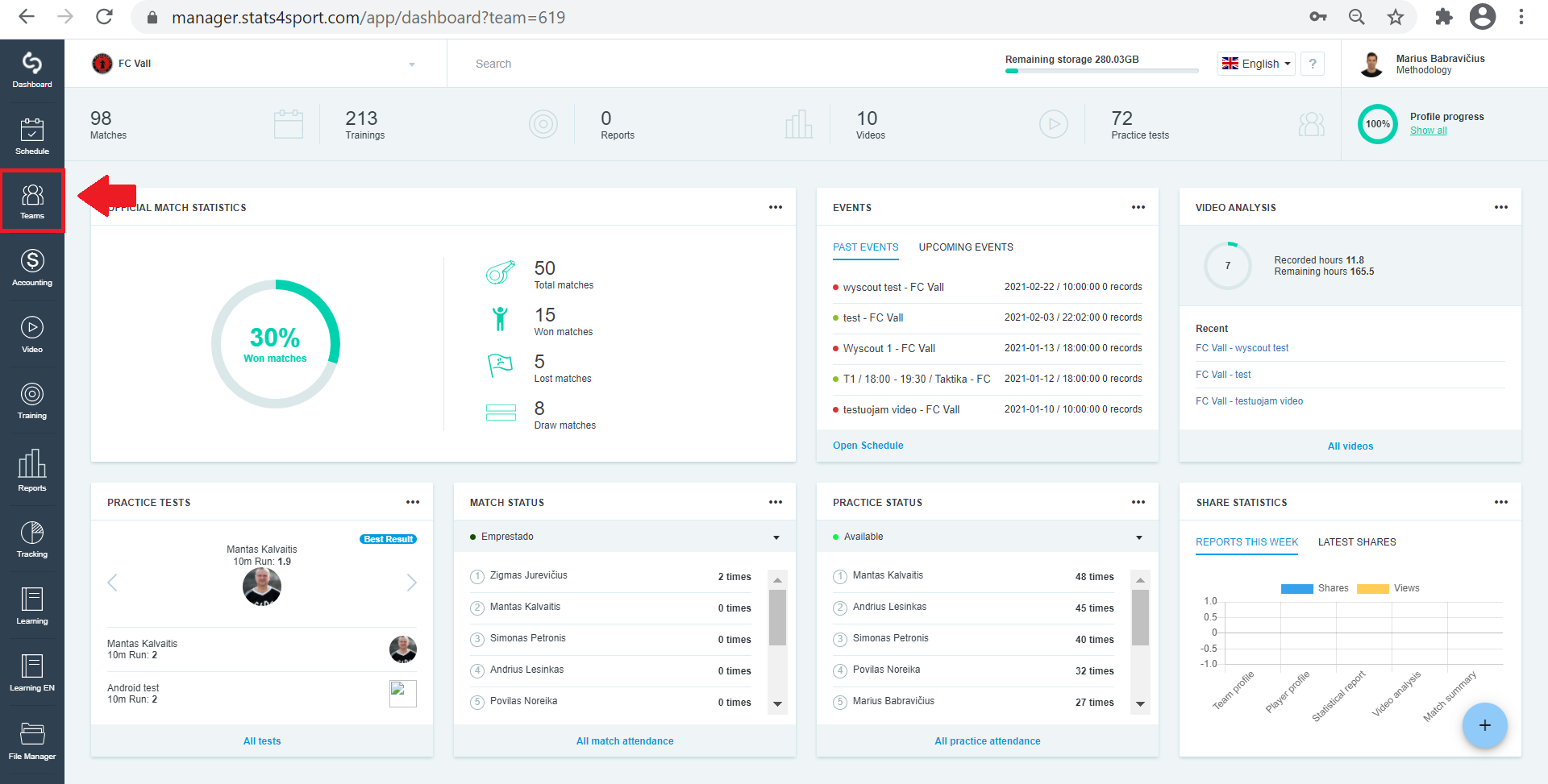
-
2
Choose the group whose athlete you want to transfer to another group / team.
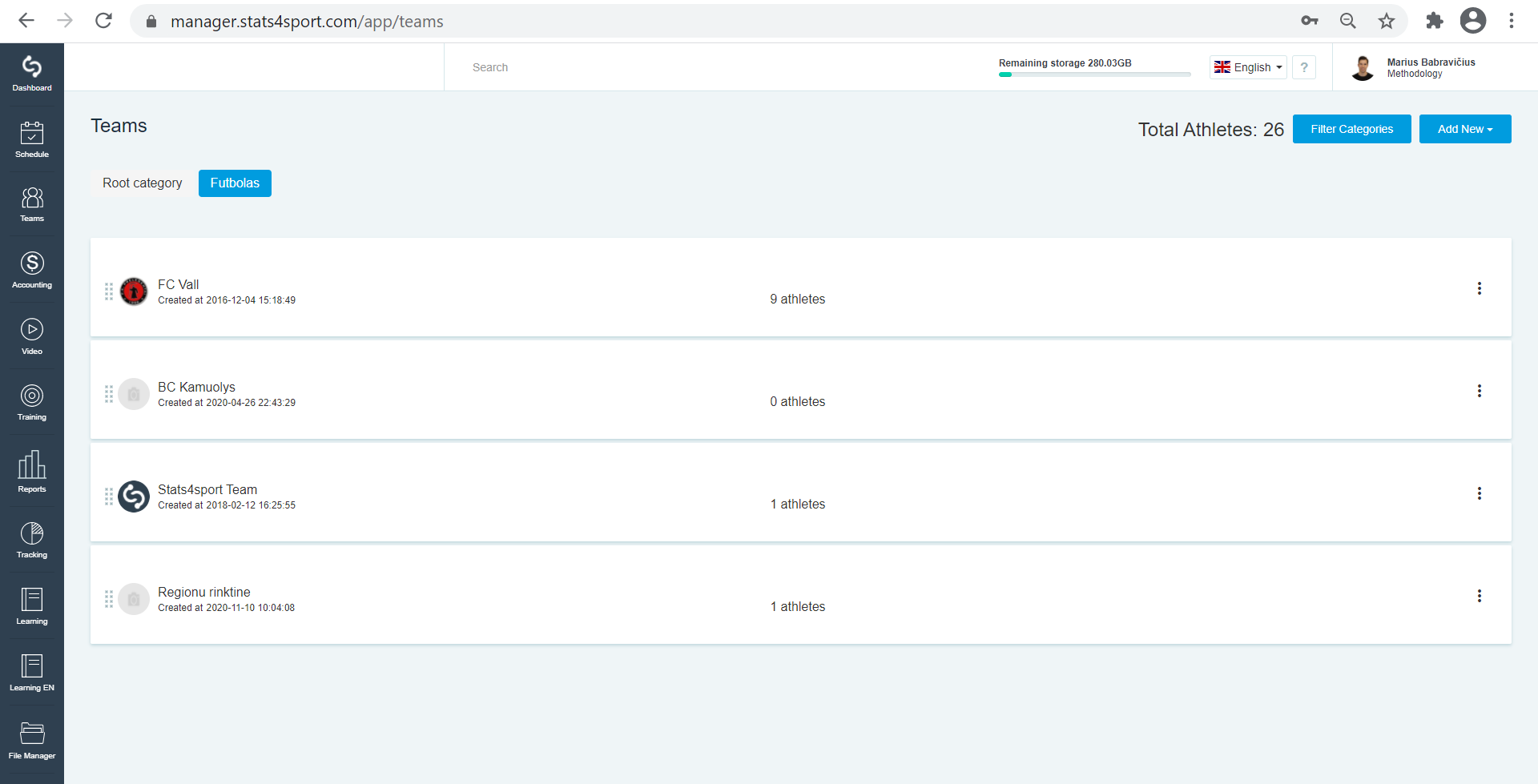
-
3
From the list of athletes select the athlete you want to transfer to another group / team. Click on the 3 dots to the right of each athlete. Select "Transfer".
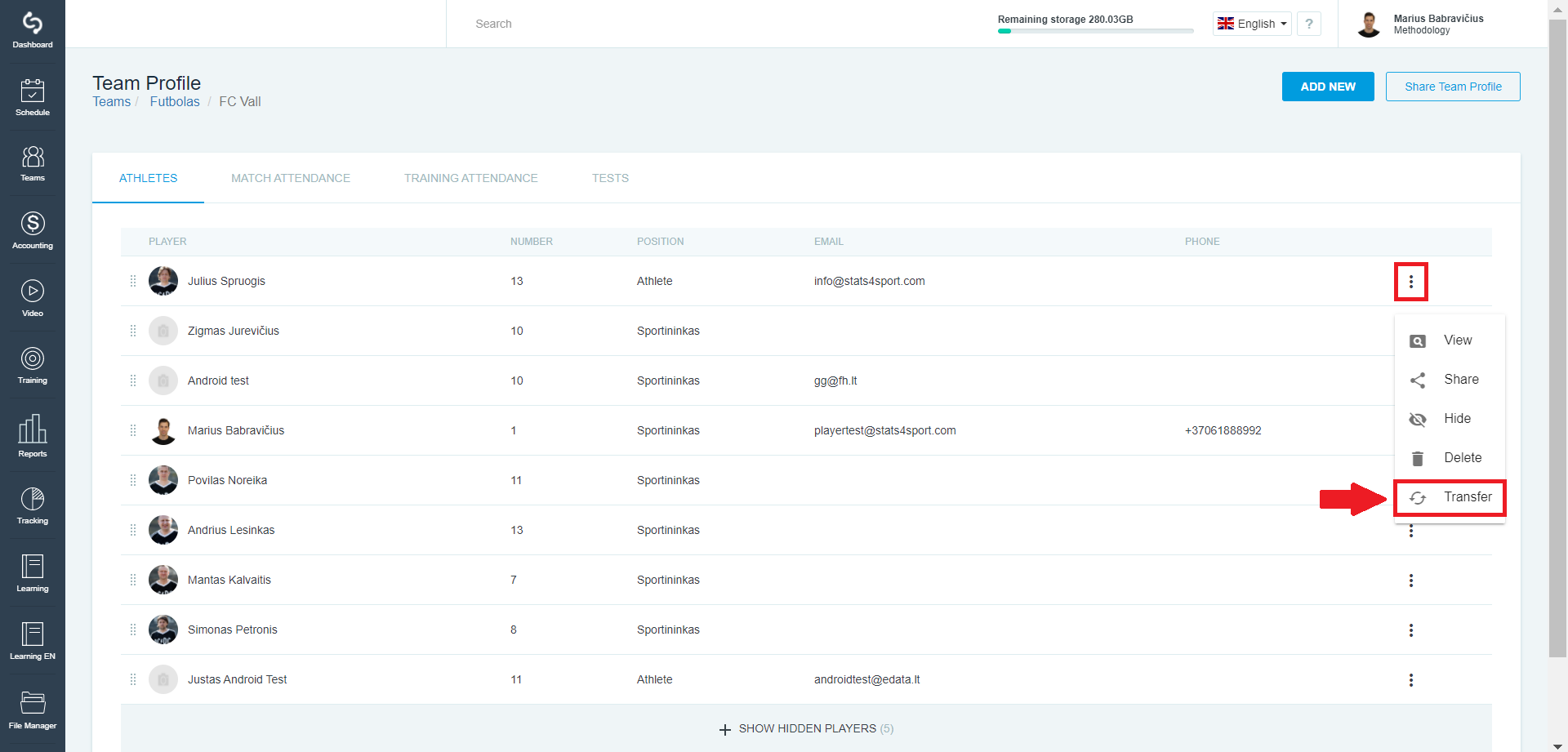
-
4
Select the group / team you want to move to and click "Transfer".
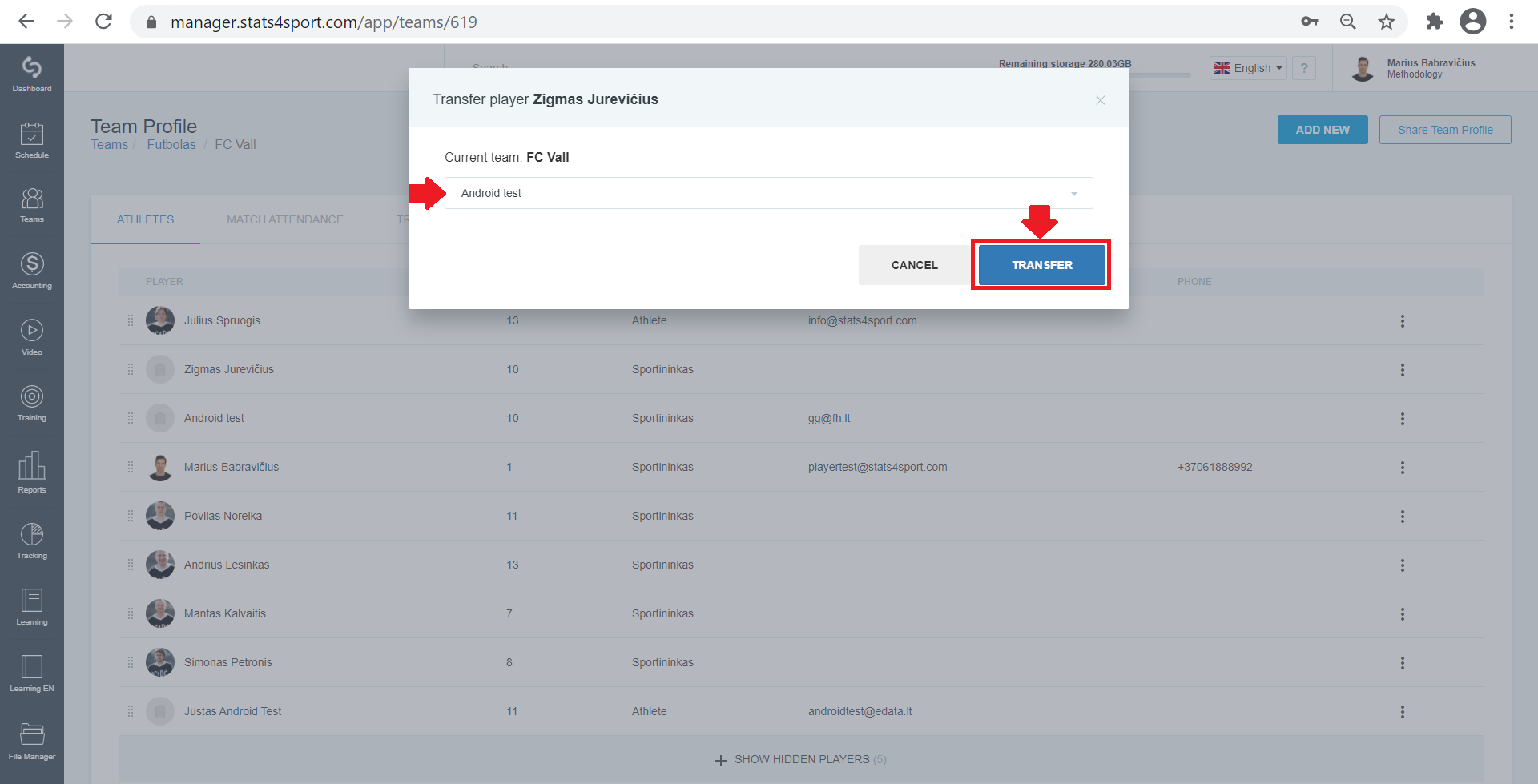
-
5
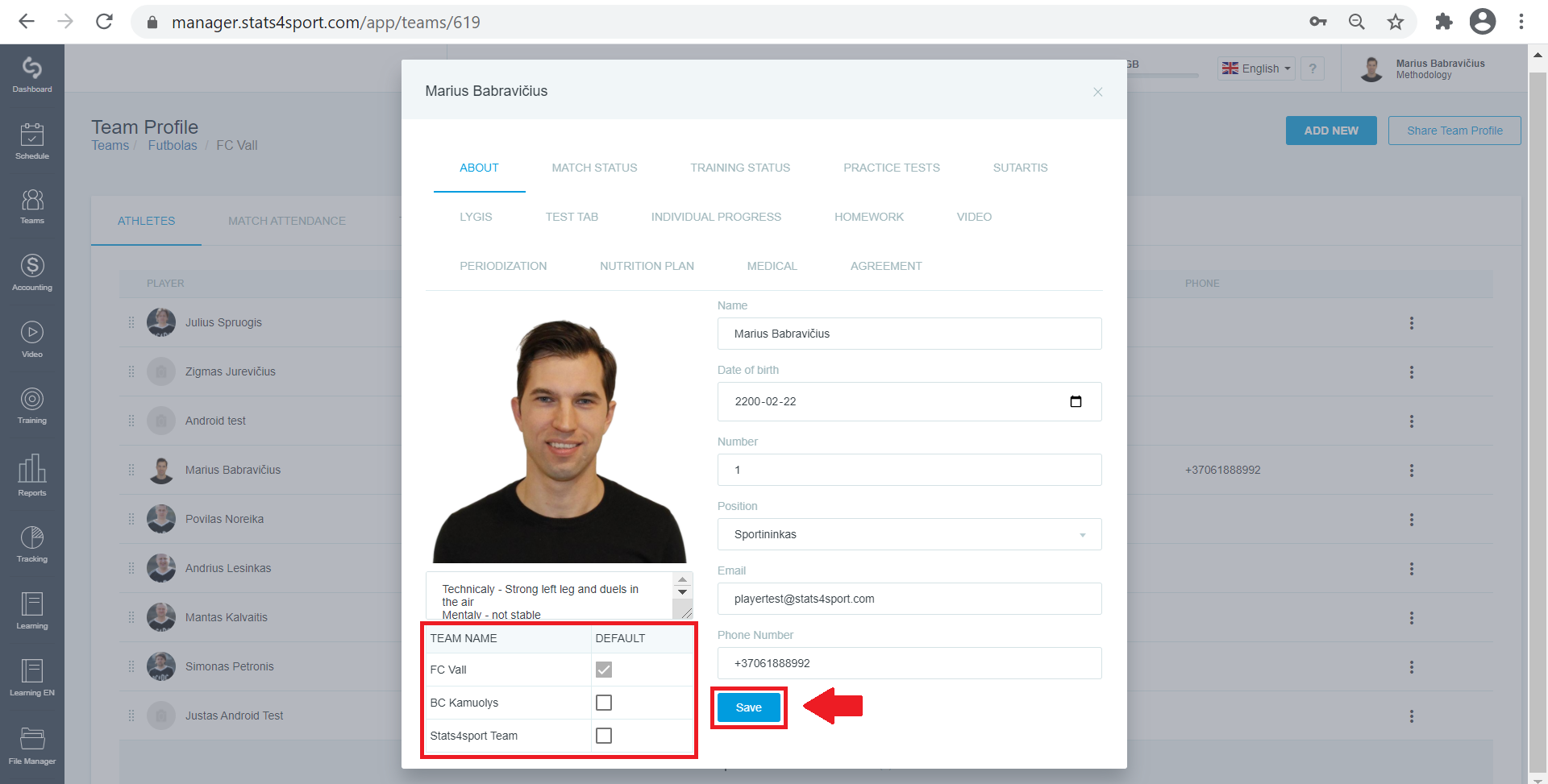
You will then see two or more groups / teams already assigned to the athlete's profile, but you will need to mark and prioritize him / her. You will be able to change them.
Still need help?
Tell our support team where you got stuck. Include the guide title so we can help you faster.
Contact support