
Accounting
-
1
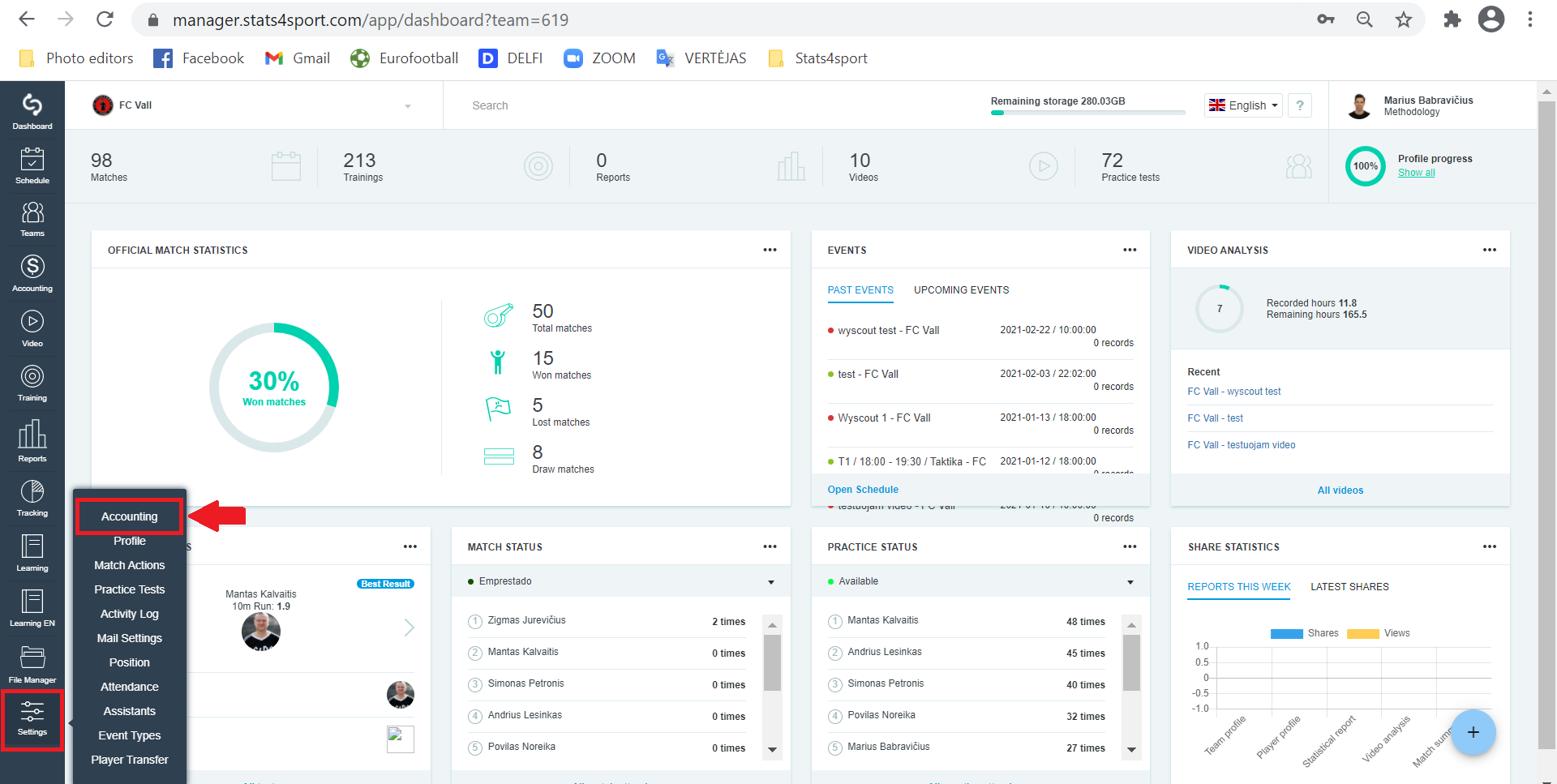
In the menu bar on the left, select "Settings" -> "Accounting".
-
2
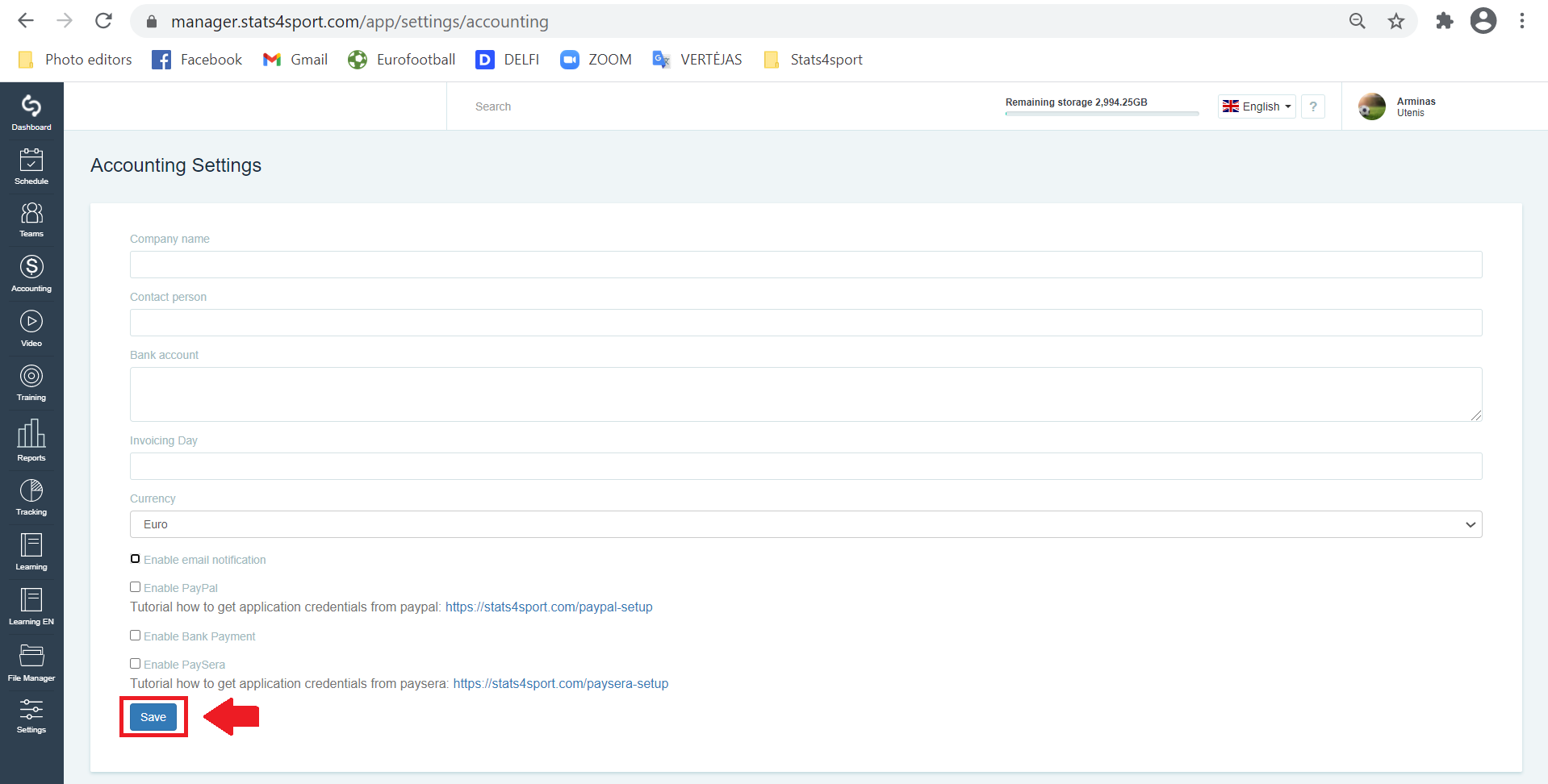
Enter the required information, mark the payment method and click "Save".
Still need help?
Tell our support team where you got stuck. Include the guide title so we can help you faster.
Contact support