
New section in athlete profile
-
1
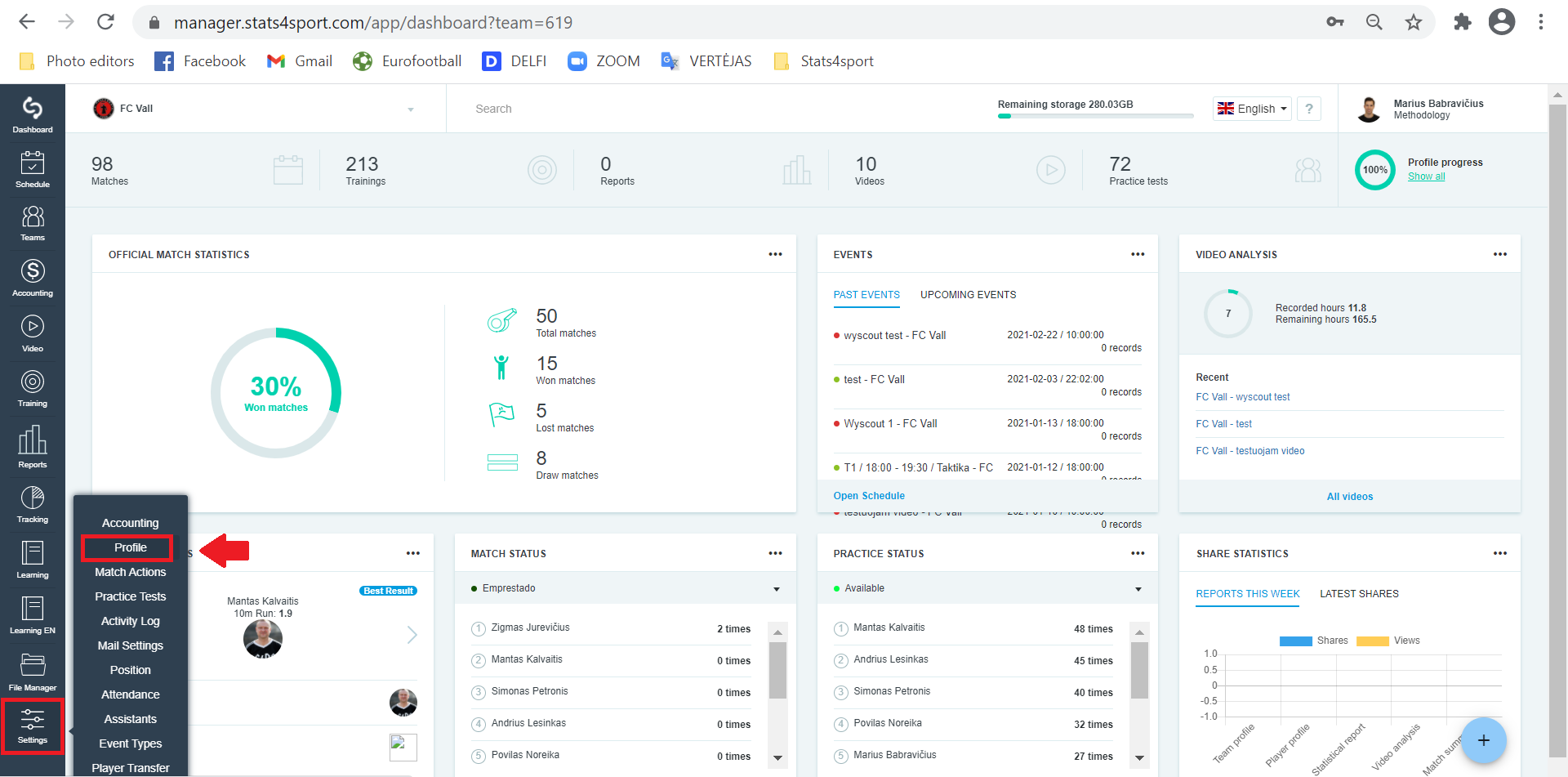
In the menu bar on the left, select "Settings" and click "Profile."
-
2
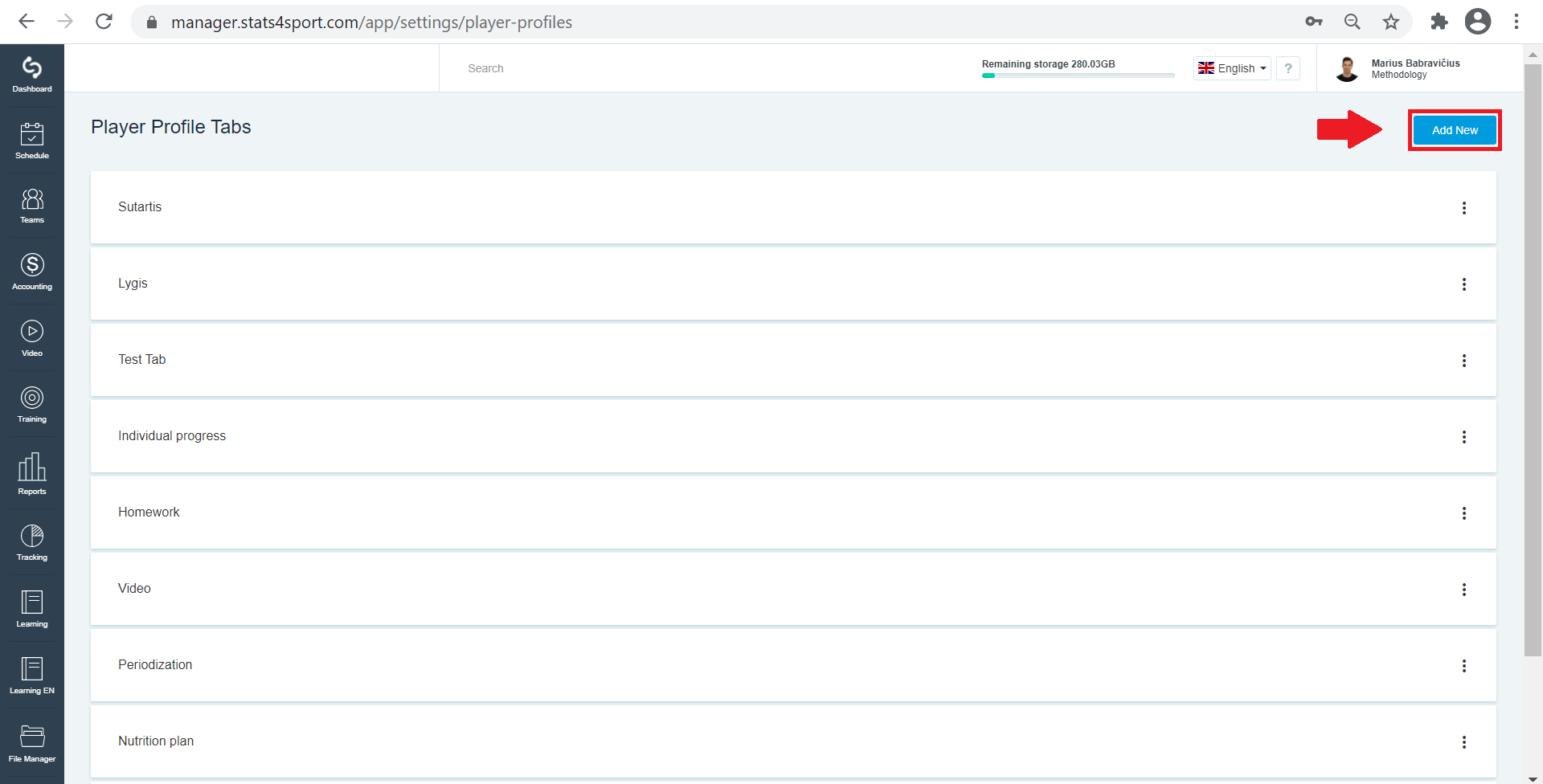
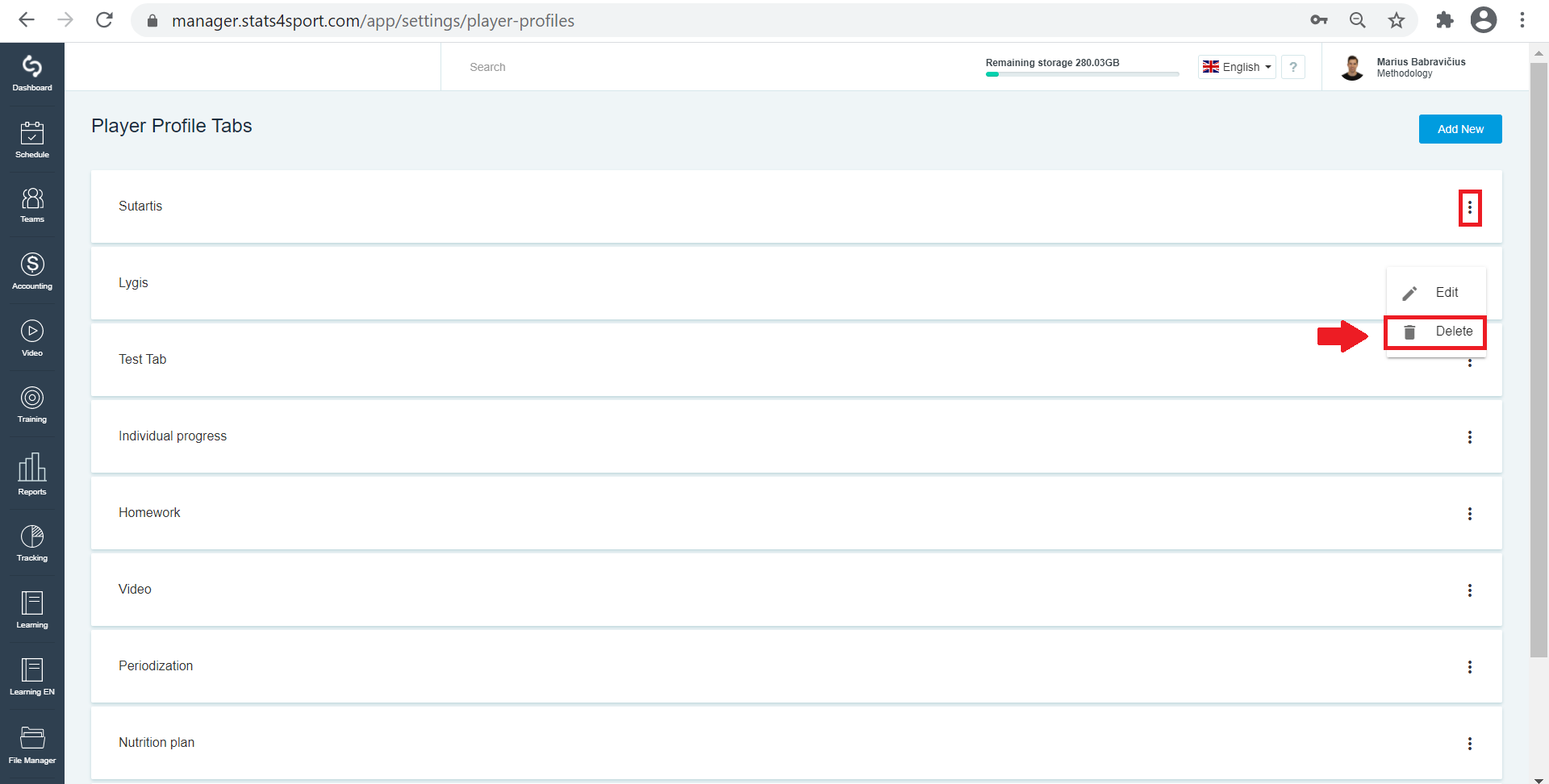
Click "Add New" to create a new section.
-
3
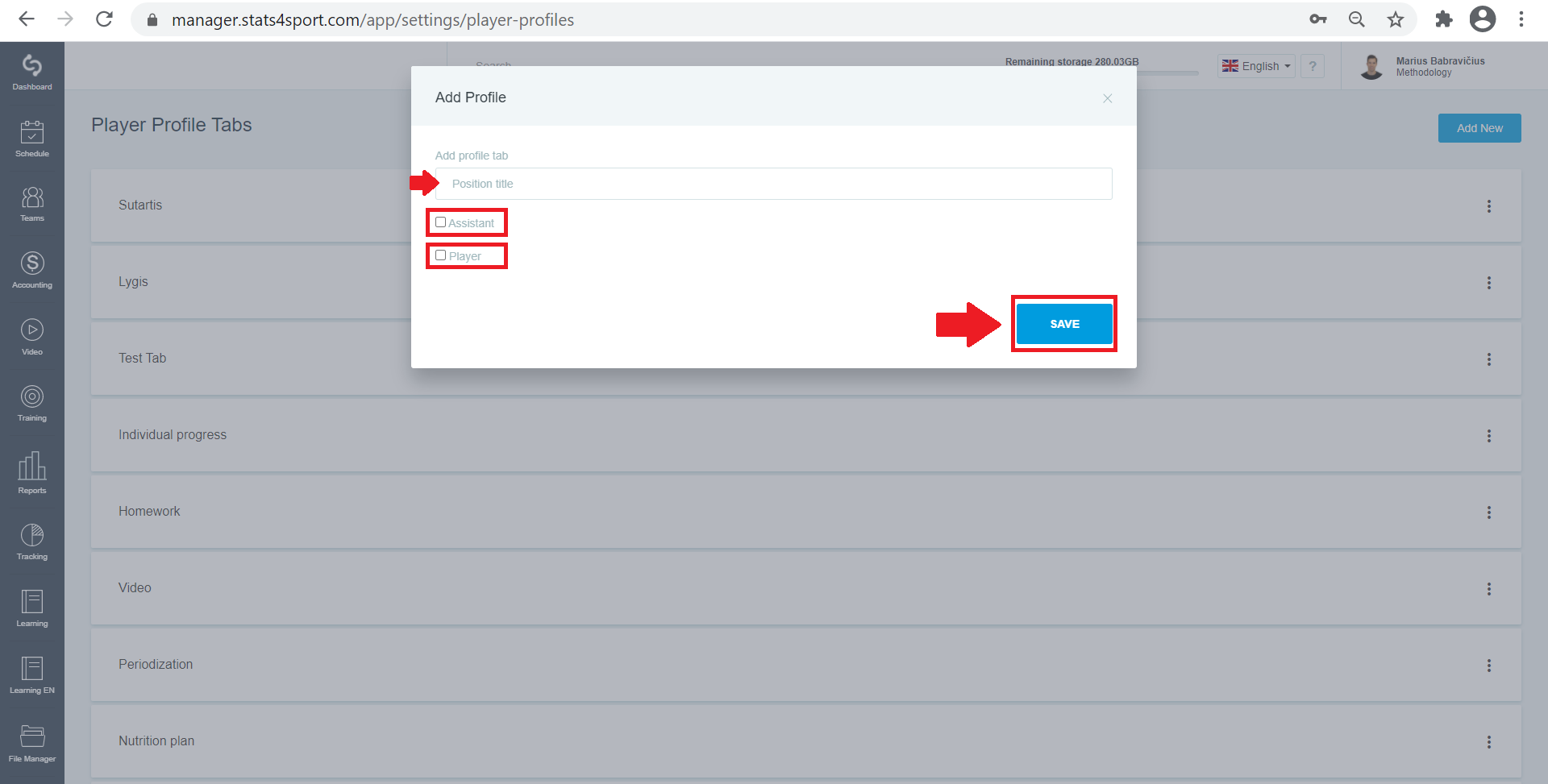
Enter a name, mark who can see this section, and click "Save".
-
4
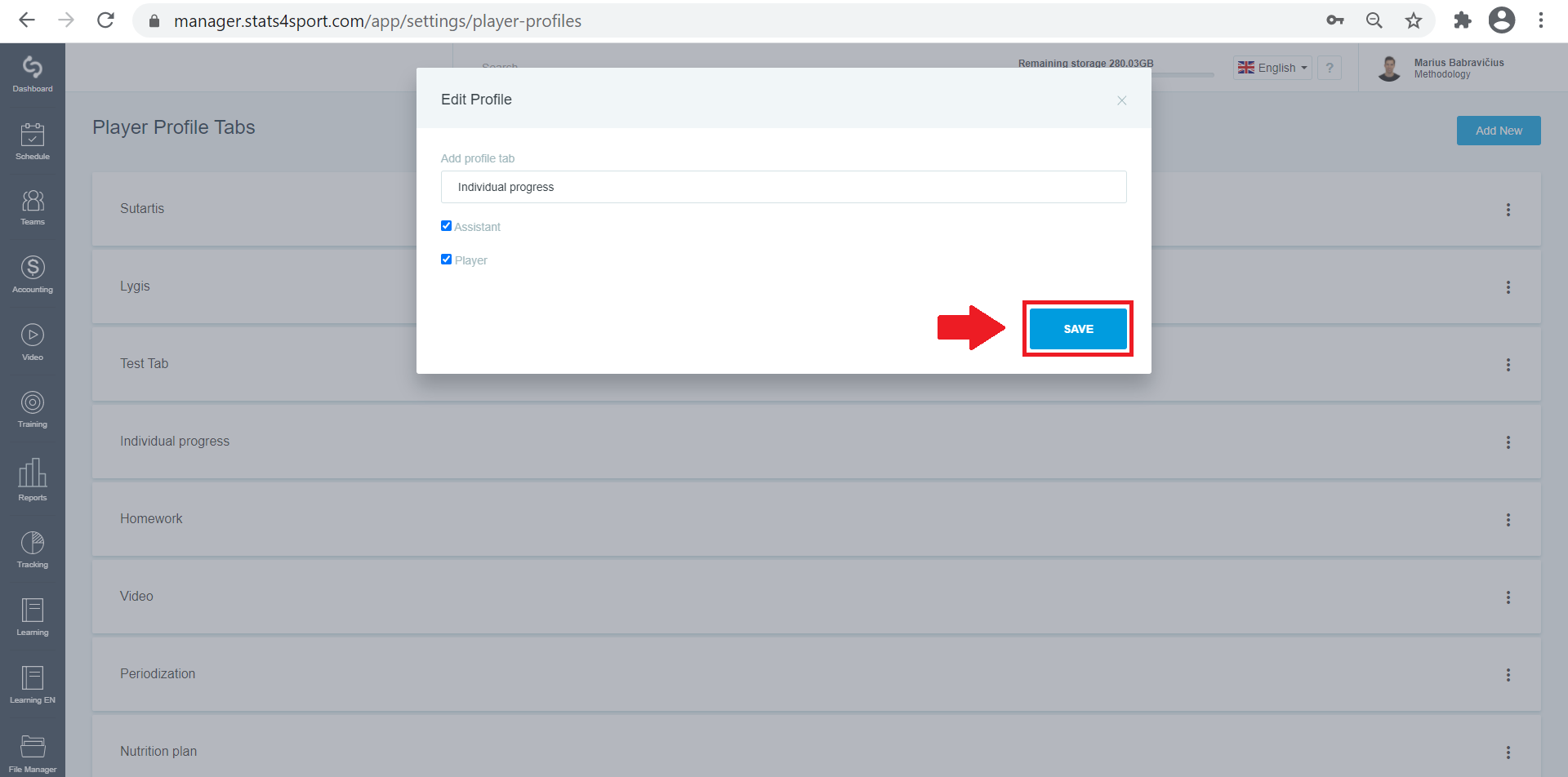
Or click on an already created section to edit it. Rename or set who can see this section and click "Save".
-
5
Click the 3 dots next to each section and select “Delete” to delete the selected section.
Still need help?
Tell our support team where you got stuck. Include the guide title so we can help you faster.
Contact support