
Team attendance export
-
1
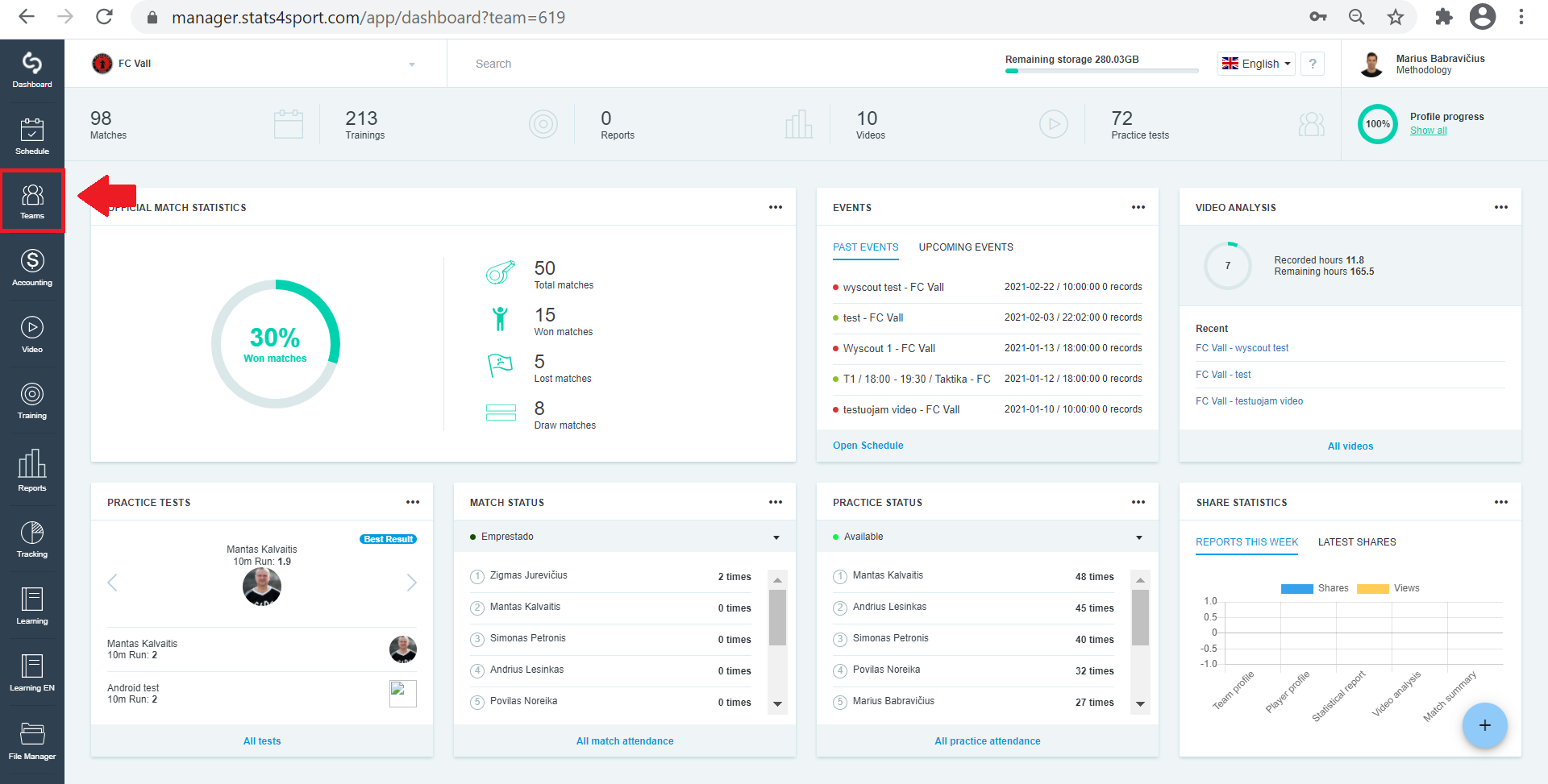
In the menu bar on the left select "Teams" section and click on it.
-
2
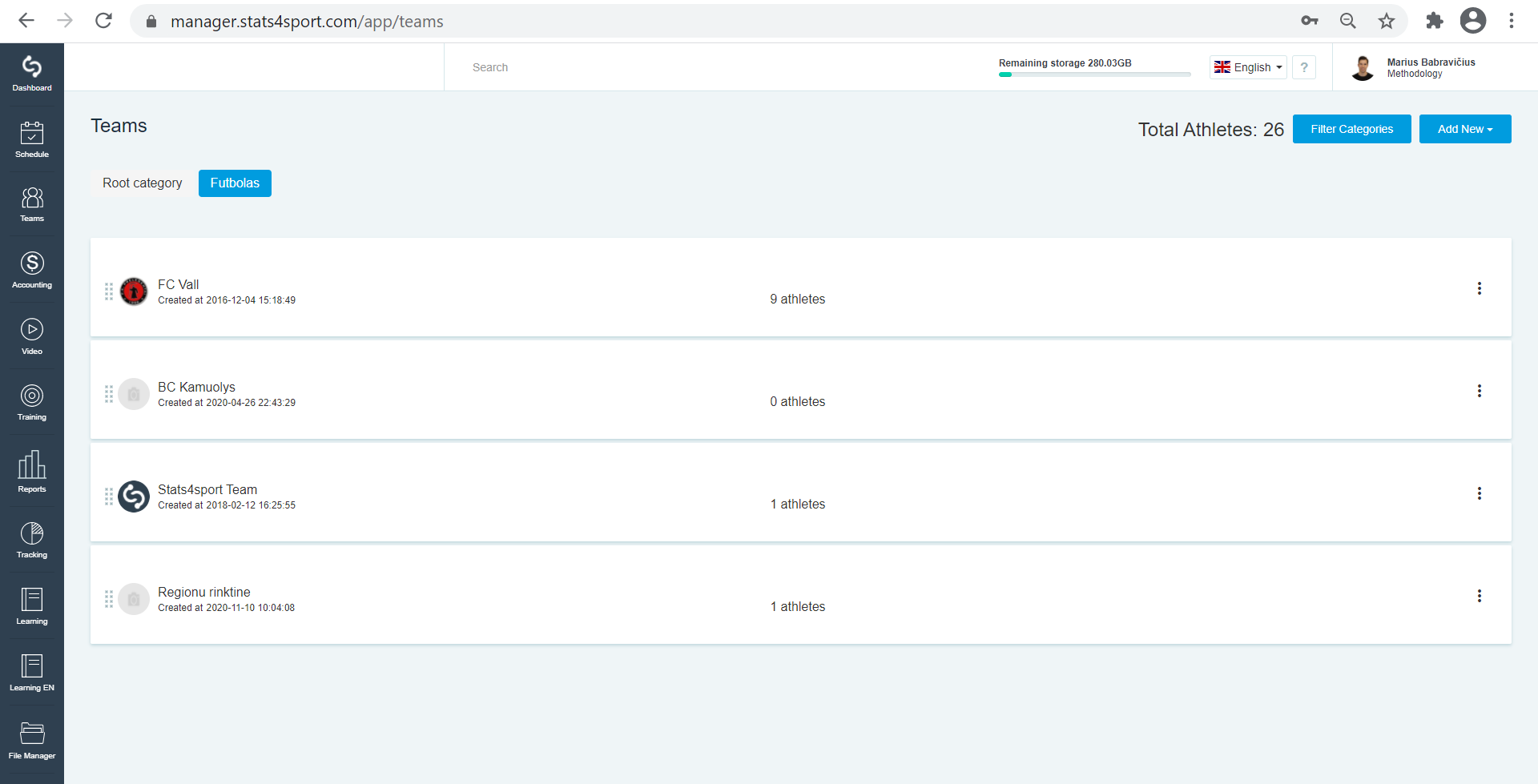
Select a team from the list whose attendance you want to export.
-
3
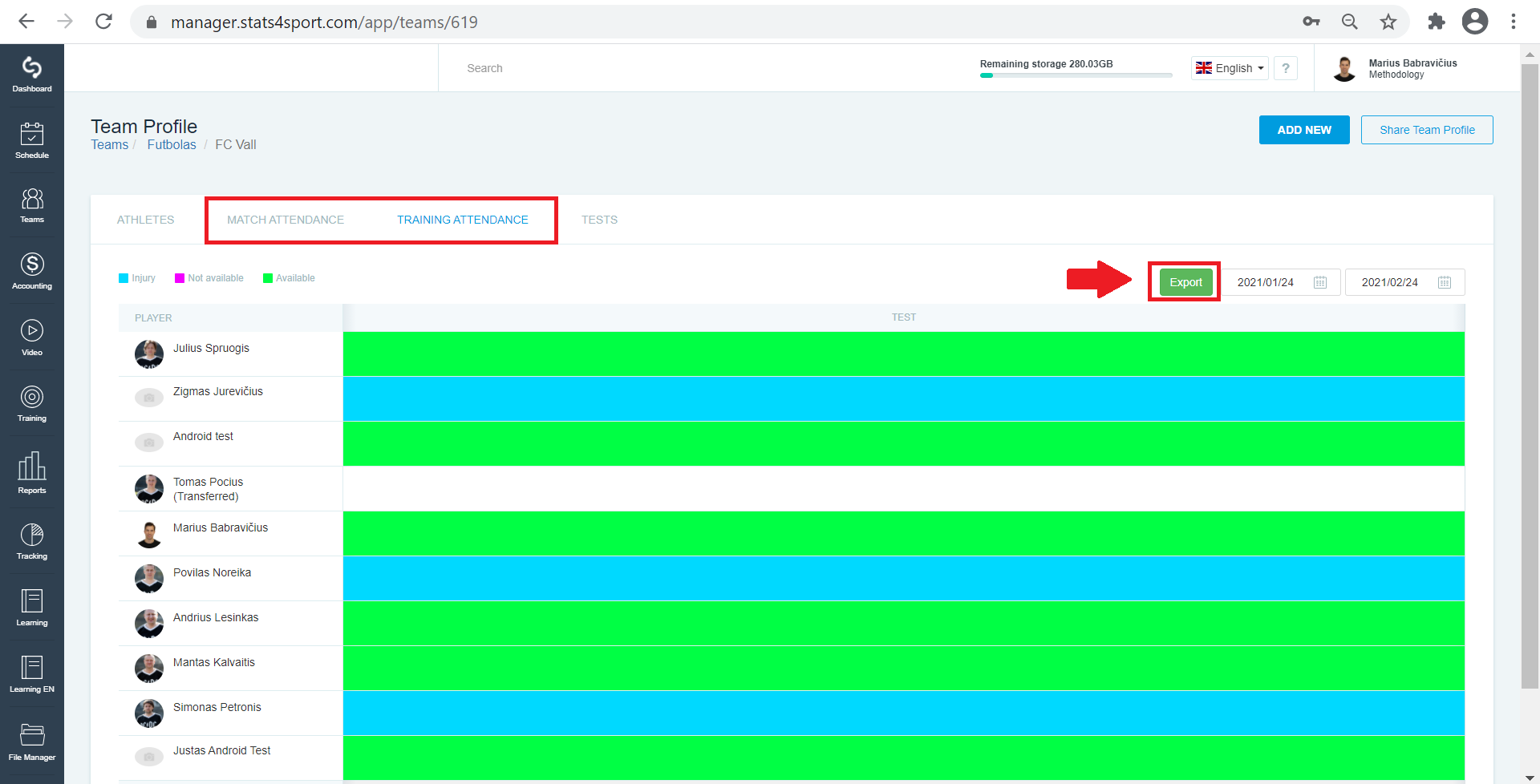
Select the match or training attendance you want to export. Click the "Export" button.
-
4
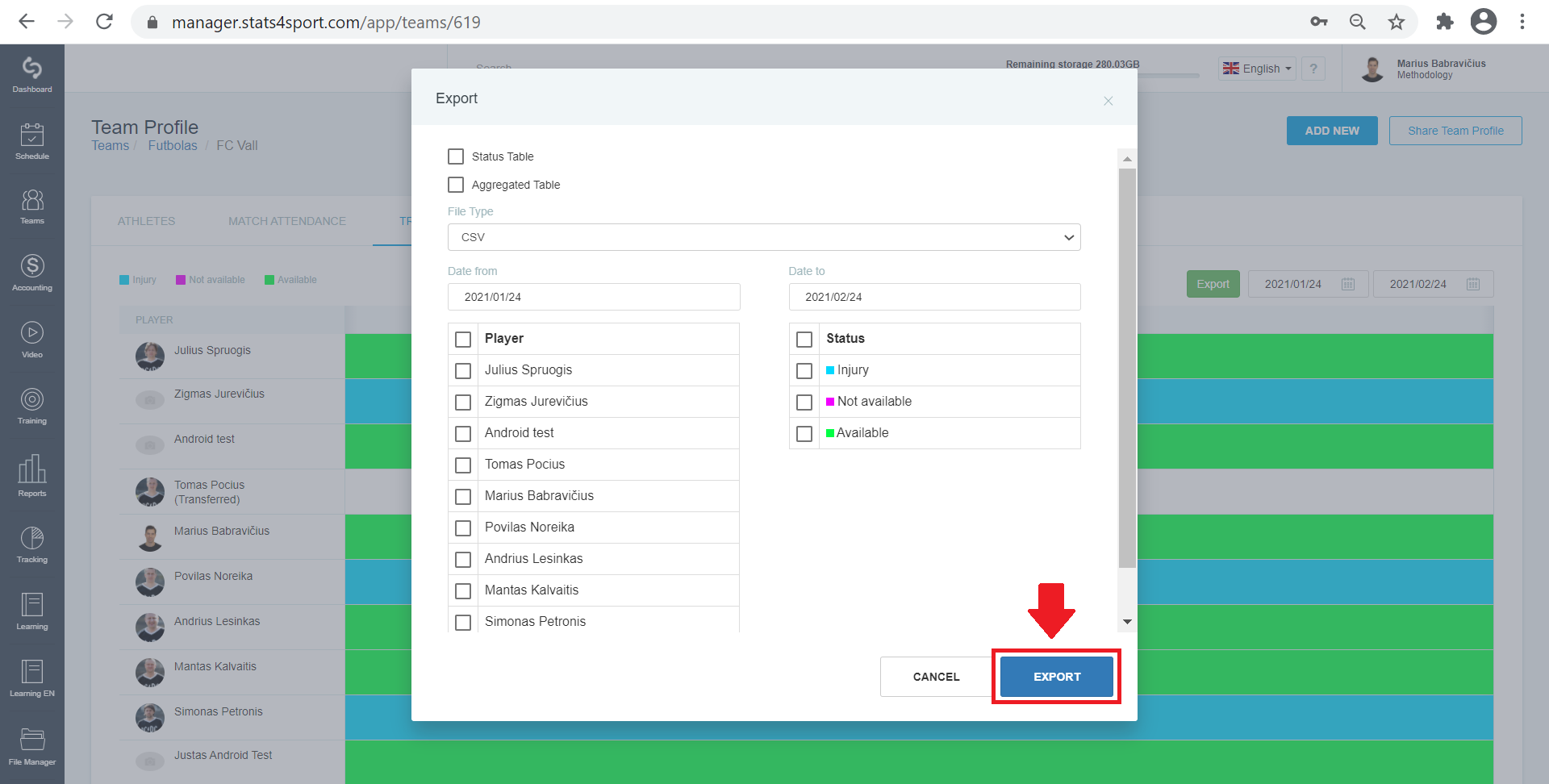
Check the table type you want to see, select the document type. Select the time period for which you want to export attendance. Mark players, select statuses, and click Export.
Still need help?
Tell our support team where you got stuck. Include the guide title so we can help you faster.
Contact support