
Tracking
-
1
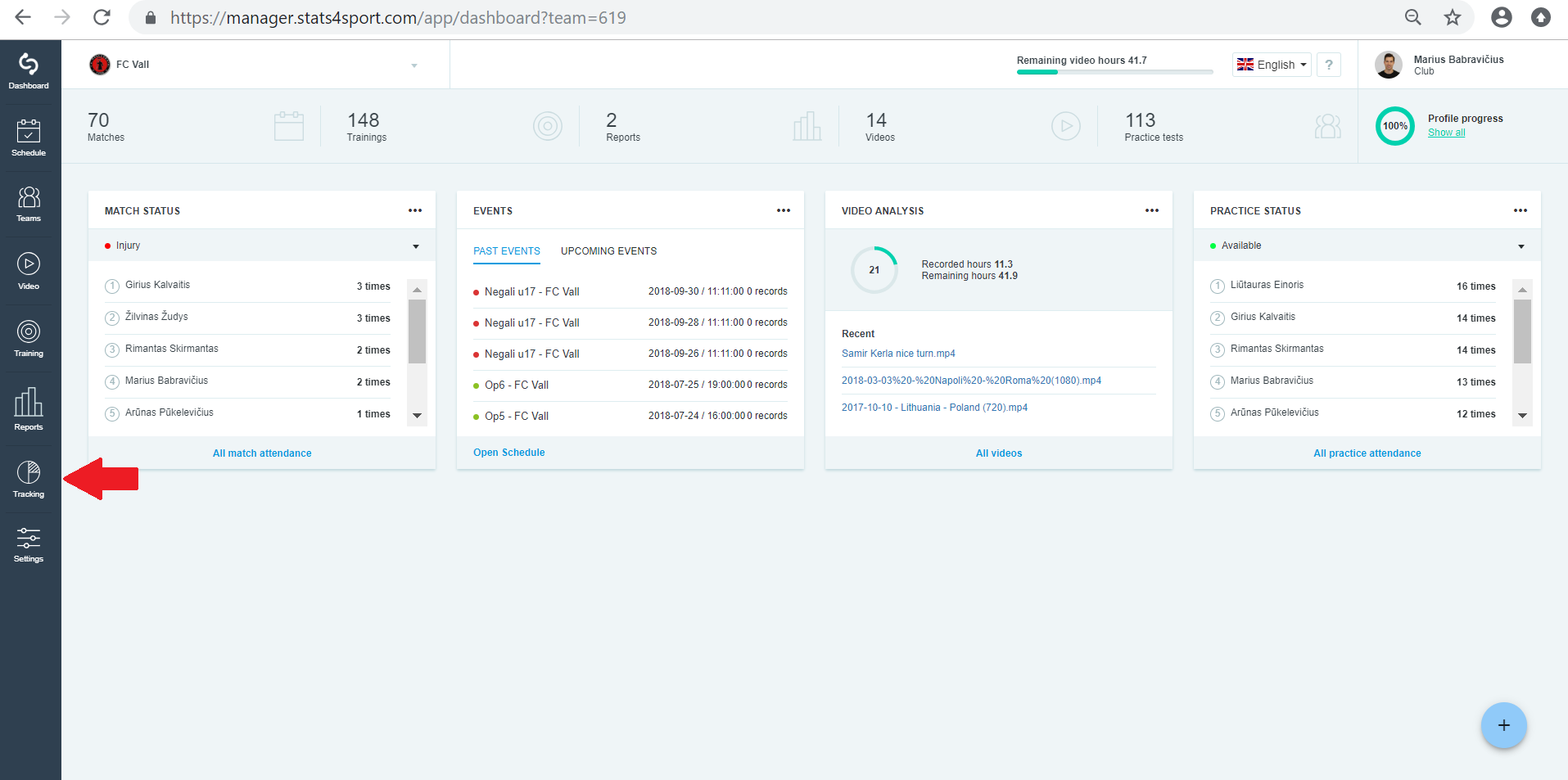
Go to "Tracking" menu on the left.
-
2
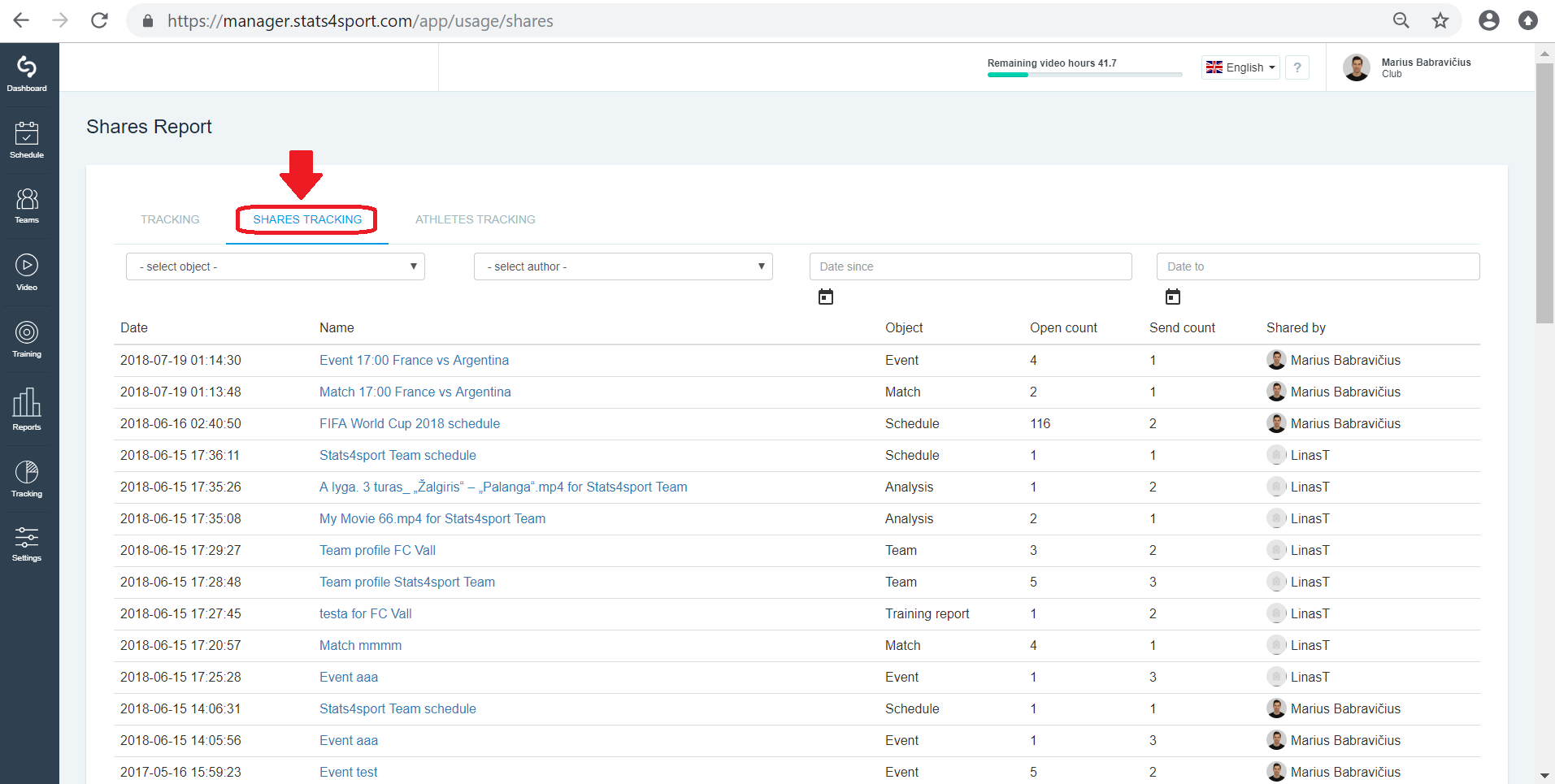
Choose "Shares tracking" to see your shares.
-
3
Here you can see what you share and when. Also can see how many times was opened by players and others.
Still need help?
Tell our support team where you got stuck. Include the guide title so we can help you faster.
Contact support